Release Notes
Launches, updates
& improvements.
LocalClarity continues to make everyday navigation faster by expanding the capabilities of Shortcut Navigation. This update extends personalized shortcuts beyond operational workflows to include frequently accessed Settings pages, reducing navigation time and making it easier for every user to build a workspace around the tools they use most.

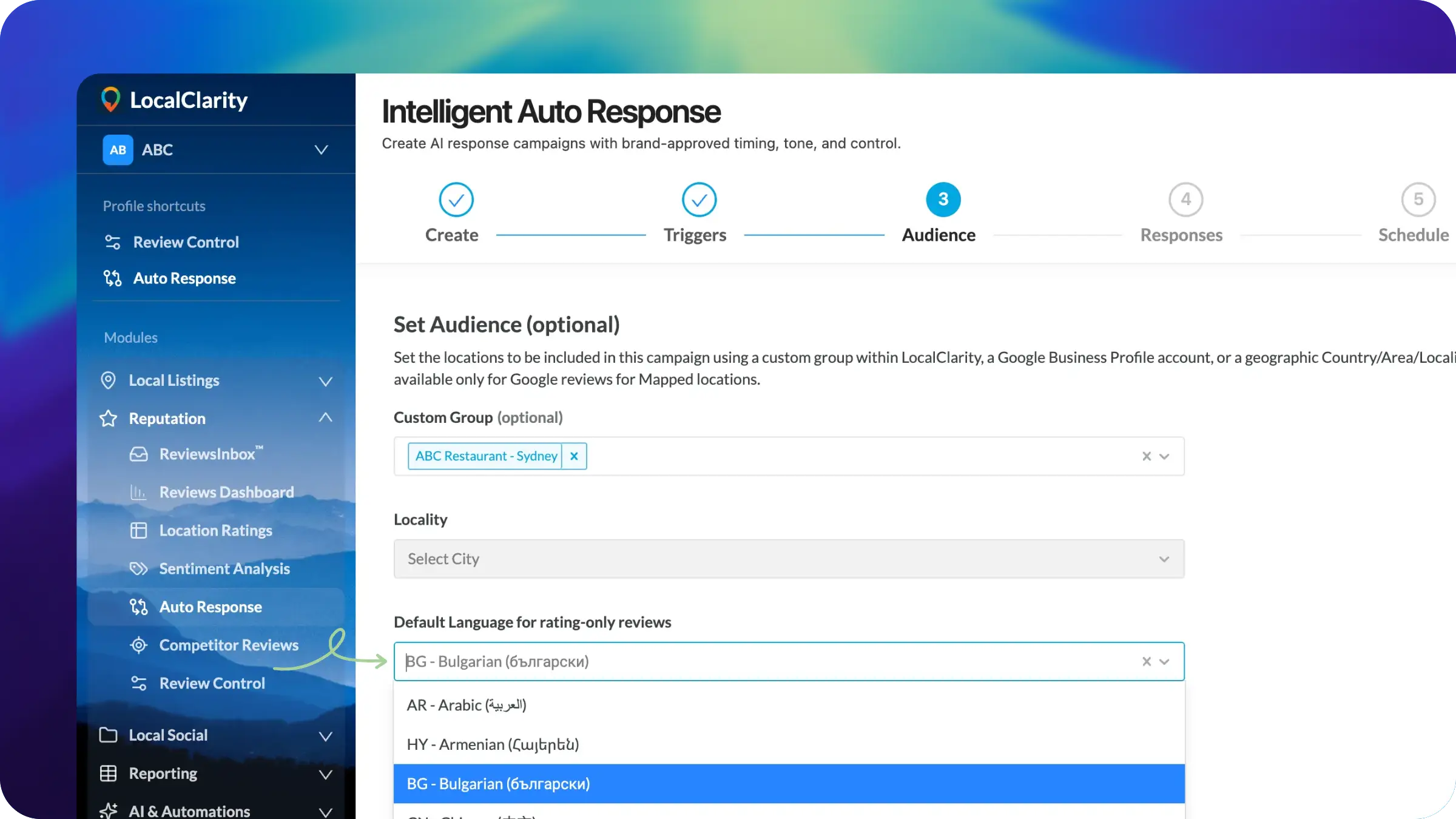
Enterprise AI requires both automation and governance. This release gives administrators greater control over multilingual response campaigns, helping ensure automated customer engagement remains consistent, appropriate, and locally relevant—even when reviews contain no written comments.
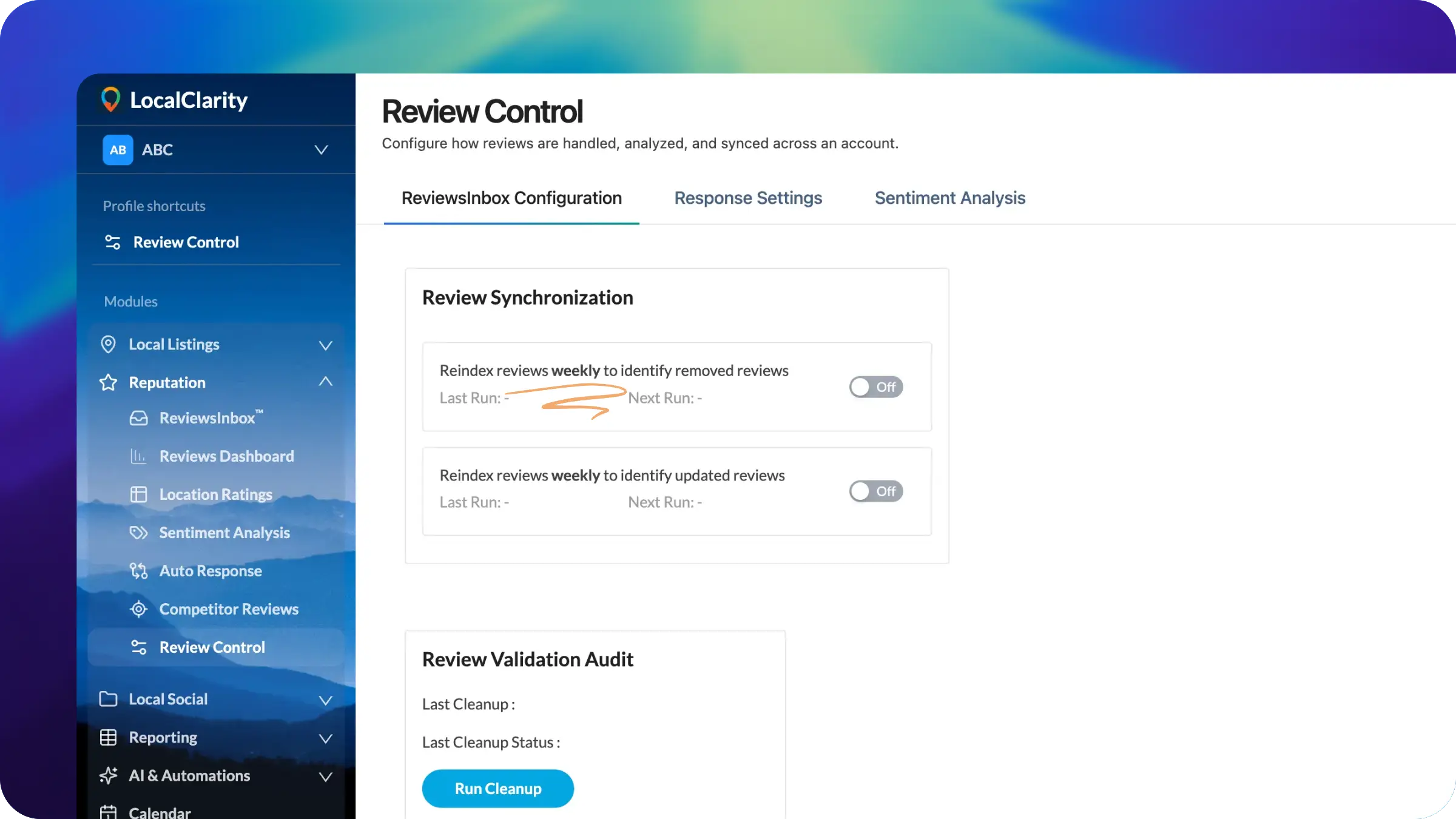
As Google's review ecosystem continues to evolve, organizations need faster visibility into meaningful changes. This release increases Google review verification from once per month to once per week, helping identify removed reviews sooner and keeping reporting more closely aligned with Google's current data.
LocalClarity now provides deeper visibility into the Google review reply lifecycle. After a response is sent, the platform performs a follow-up check with Google to confirm whether it was published, remains pending, or was rejected. ReviewsInbox™ now includes updated status language, reply source indicators, and badge treatments so teams can better track replies created manually, through templates, by AI automation, or outside the LocalClarity platform.
.webp)
As part of the broader LocalClarity 2.0 platform update, operational controls such as RealityCheck™ are now surfaced more directly. Filters, custom links, Reporting, and module-specific settings have also moved into more logical locations, creating a cleaner navigation model and stronger foundation for future workflows across the platform.

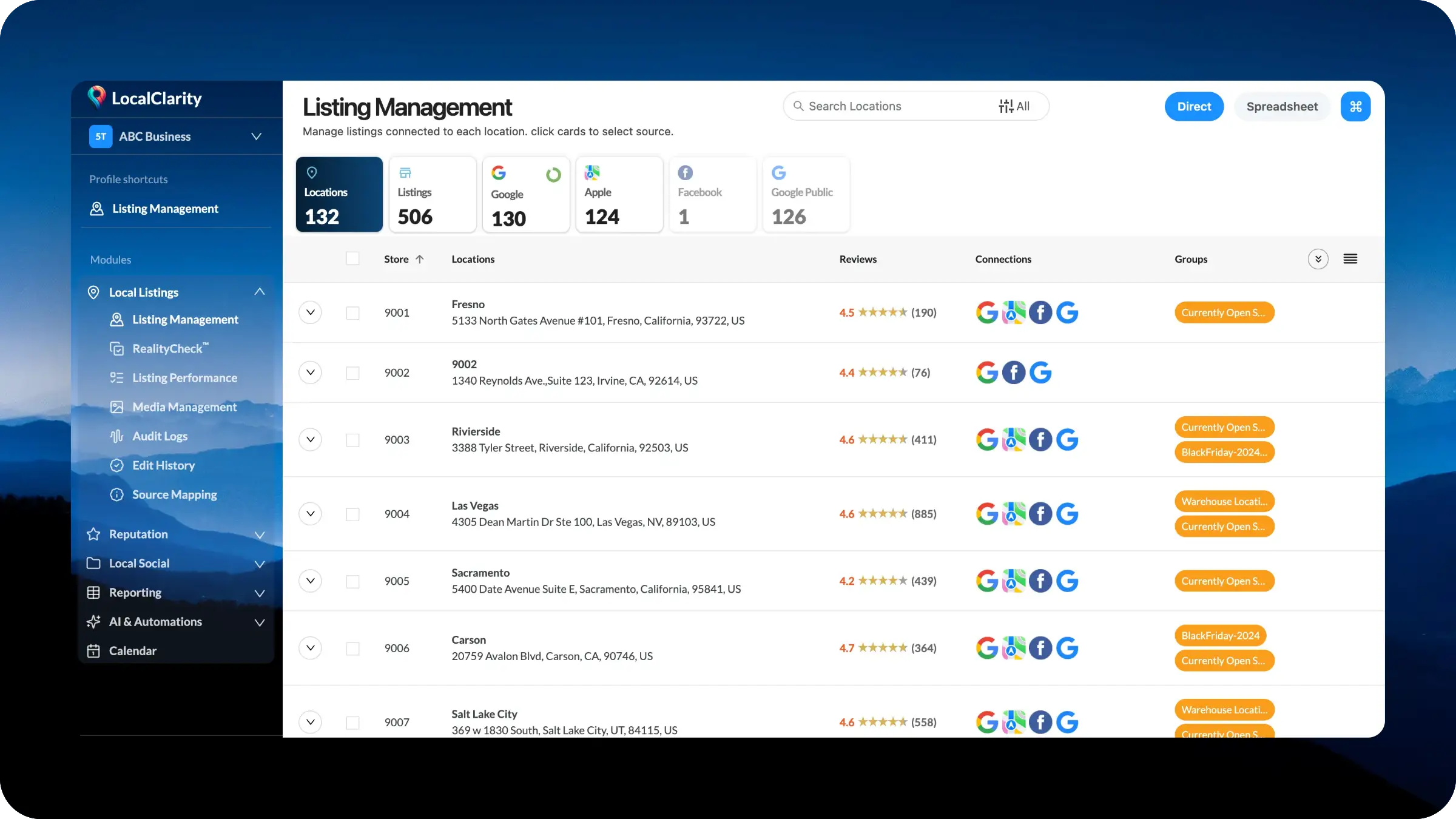
Listing Management is moving into a dedicated Local Listings module with cleaner left navigation and a more connected workflow. Core listing tasks, including location records, source data, RealityCheck™, performance, media, audit logs, edit history, source mapping, and spreadsheet management, will now sit together in one place. Teams can move from source overview to detailed management faster, with less searching and a clearer structure built for scale.
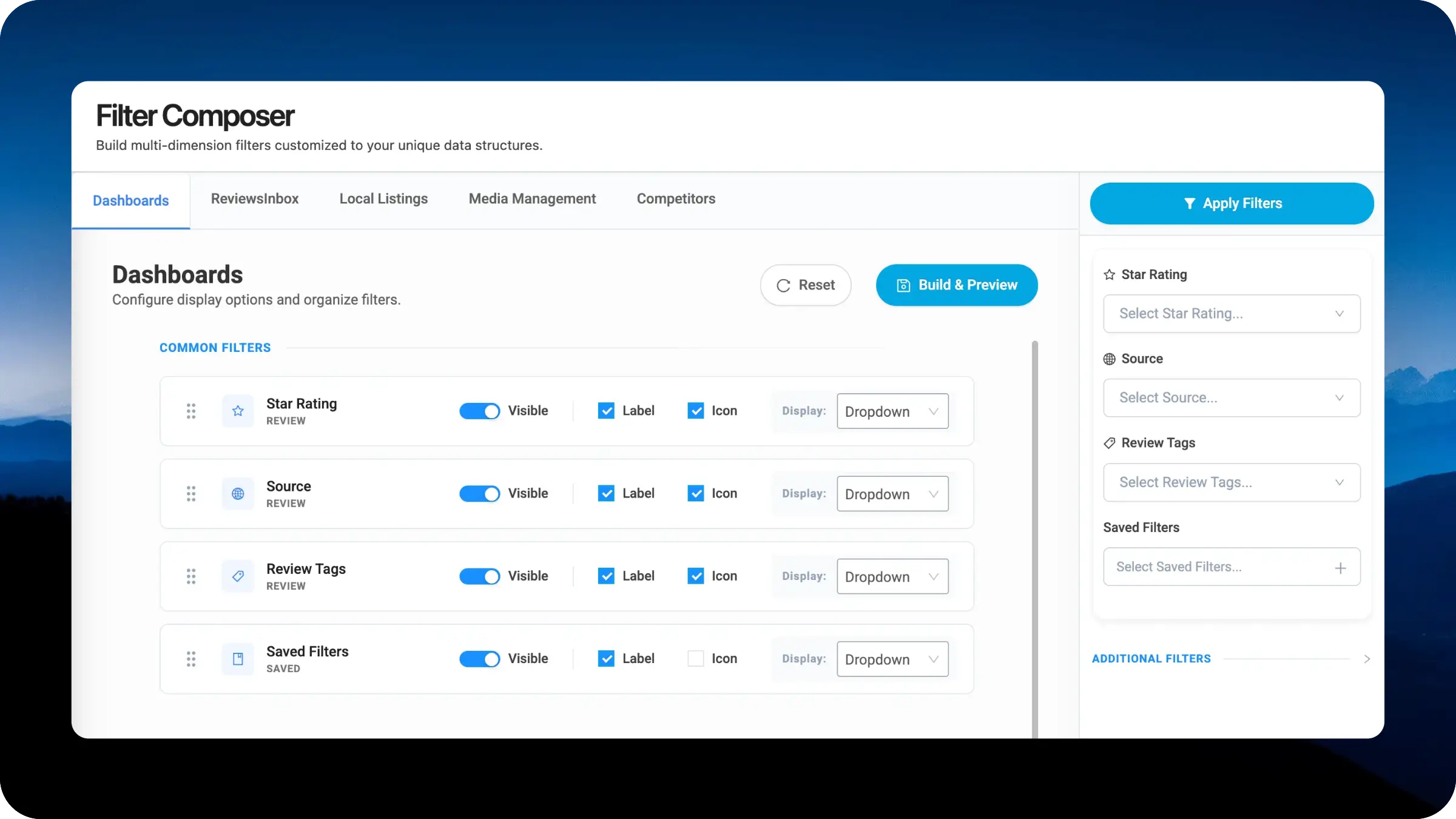
The new Filter Composer gives you direct control over how the new right-side filter navigation behaves across LocalClarity modules. Businesses can rearrange the filter priority, toggle individual options on or off, and choose between badge pills or dropdowns to match the size of each option set. Configurations save per module, so Dashboards, ReviewsInbox, Local Listings, Media Management, and Competitors can each be tuned independently to how your team actually works.
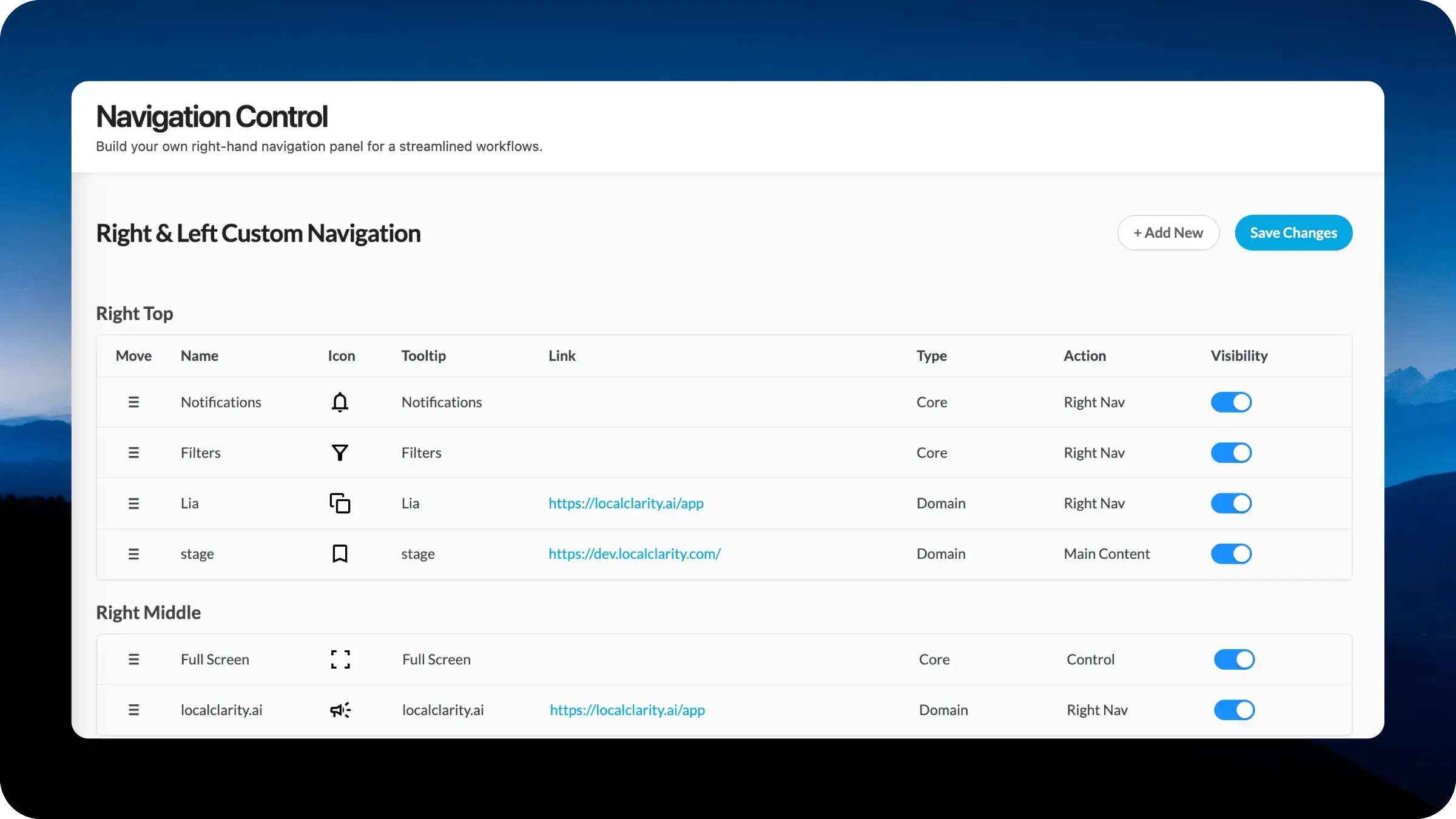
Navigation Control gives each brand more ownership over the new right-hand navigation panel in LocalClarity. Instead of relying on a single default right-nav structure, your team can decide which tools, resources, and shortcuts belong in that space. Build a cleaner experience for new users, keep power-user workflows close at hand, and connect internal resources directly into the right rail. The result is a right-side navigation experience that reflects how your organization actually works.
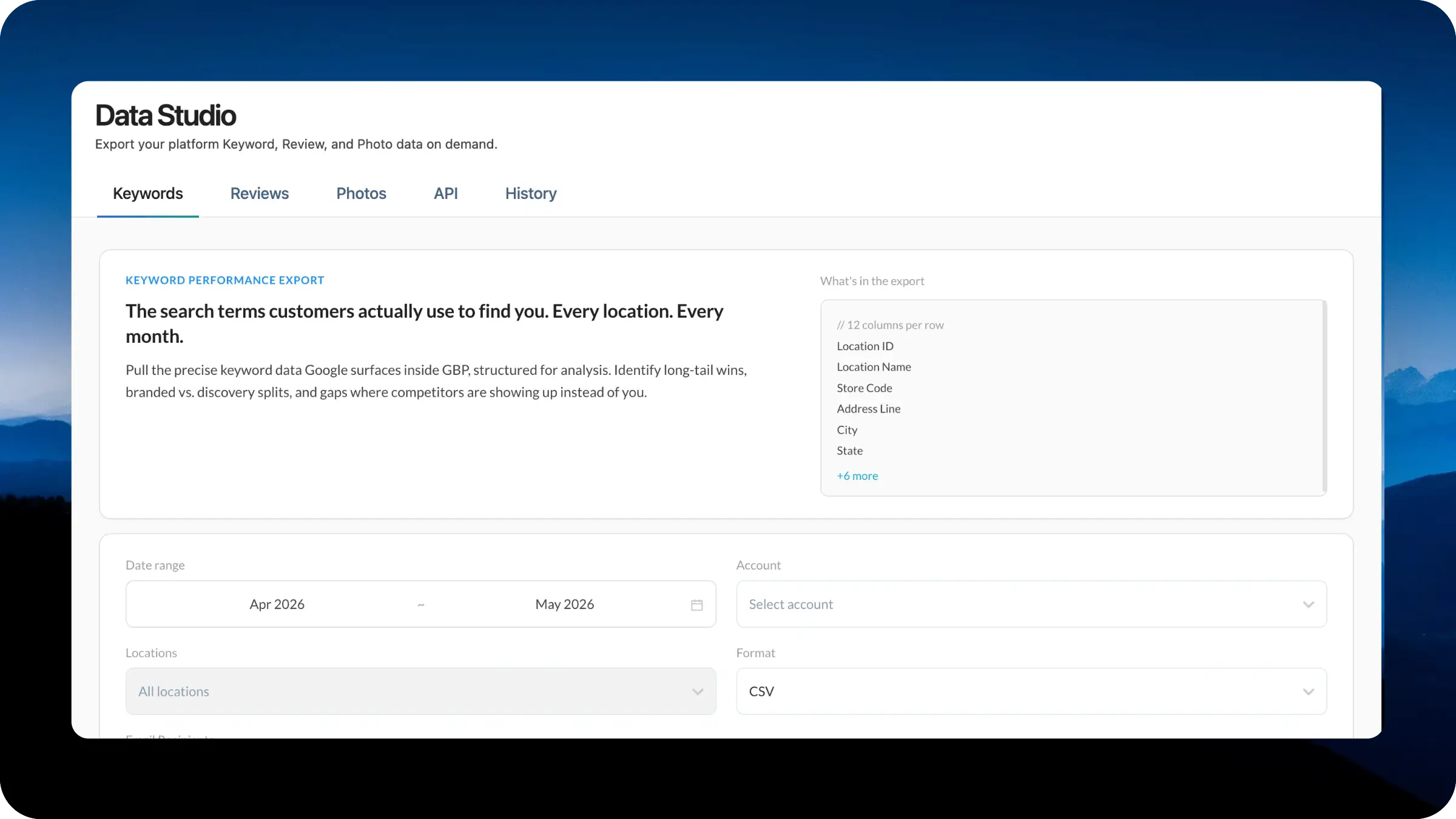
Data Studio gives your team a central place to turn your data into usable business inputs. Whether you are building dashboards, auditing performance, powering AI workflows, or running deeper location-level analysis, the new workspace makes exports, API access, and download history easier to manage from one dedicated section.
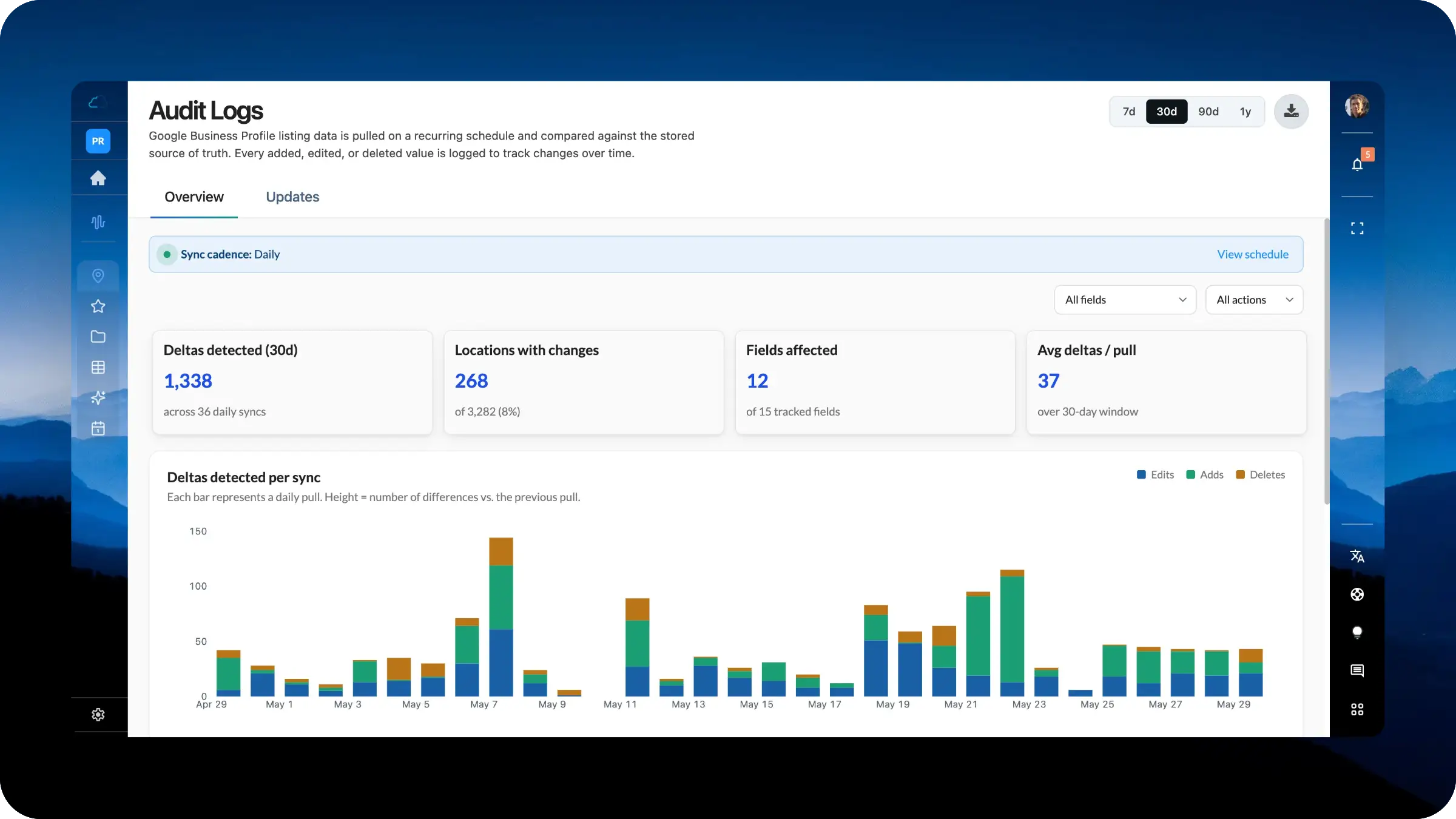
Audit Logs now turns listing change history into a true reporting workspace. Instead of reviewing one sync at a time, your team can analyze patterns across the full portfolio, see which fields changed most often, filter by action type, and search every detected update. The upgraded view makes it easier to spot listing drift, investigate unauthorized changes, and understand how your location data is evolving over time.