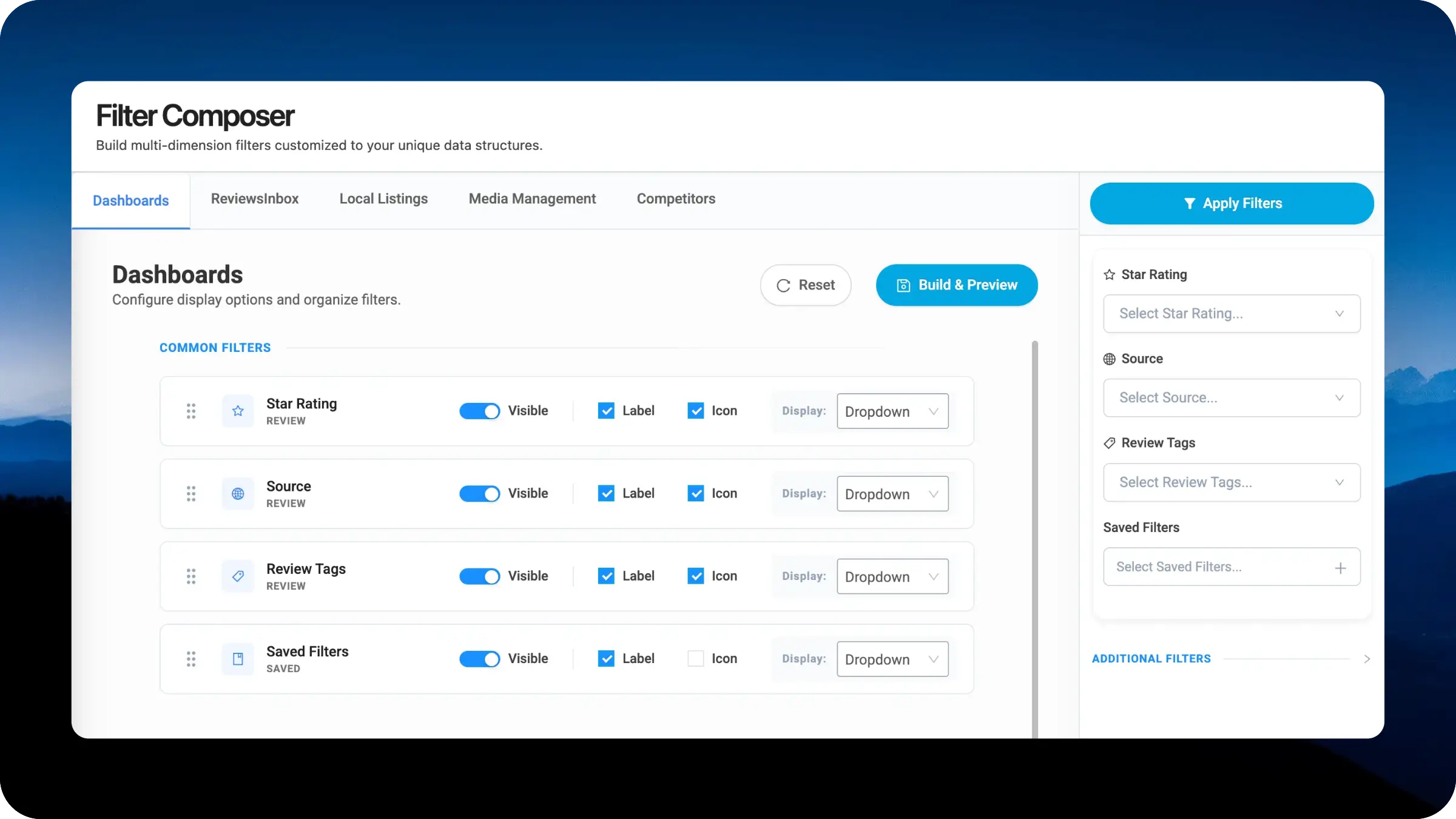
The new Filter Composer puts you in complete control of how filters appear in the new Right Nav across LocalClarity modules. Build multi-dimension configurations customized to your data structures across Dashboards, ReviewsInbox, Local Listings, Media Management, and Competitors. Configure exactly which filters appear, in what order, with your preferred display treatment, all from a single composer interface.
Every brand operates differently, and every module within LocalClarity surfaces a different slice of the business. The filters that matter most when triaging reviews in ReviewsInbox™ are not the same as the ones that matter when auditing Local Listings or benchmarking against Competitors. A hospitality enterprise managing thousands of locations may need Location and City anchored at the top of the Dashboards rail, while the same team working in Media Management cares more about Source and content type. A smaller multi-location operator may prioritize Star Rating and Source across the board.
The Filter Composer eliminates that friction by letting you tune each module independently. You decide what shows up, how it's organized, and how each filter is presented based on the business question that module is built to answer.
You can now configure the right-side filter navigation independently for each module using the tabbed interface. Within each module, filters are organized into Common Filters (pinned to the top of the right nav) and Additional Filters (revealed below or behind a disclosure), with drag-and-drop reordering so the most relevant options surface first in the rail.
For every filter in the right nav, you control four dimensions: visibility, label display, icon display, and presentation style. The presentation choice is what makes the new right navigation feel right. Star Rating, with only five discrete values, renders as Badge Pills directly in the rail so users tap once and move on. Source, Review Tags, Location, and City, where the option set runs into the dozens or hundreds, render as Dropdowns to keep the rail compact.
The live preview panel on the right shows the actual right navigation as your end users will see it, with Apply Filters ready to test in context. Build and Preview commits the configuration to the live right nav for the selected module.
The Filter Composer is another expression of a broader principle driving LocalClarity2.0: give users more value by giving them more control. Rather than shipping rigid interfaces and asking teams to adapt, we are systematically opening up the surfaces our customers spend the most time in so each brand can shape the platform around how they actually work.


