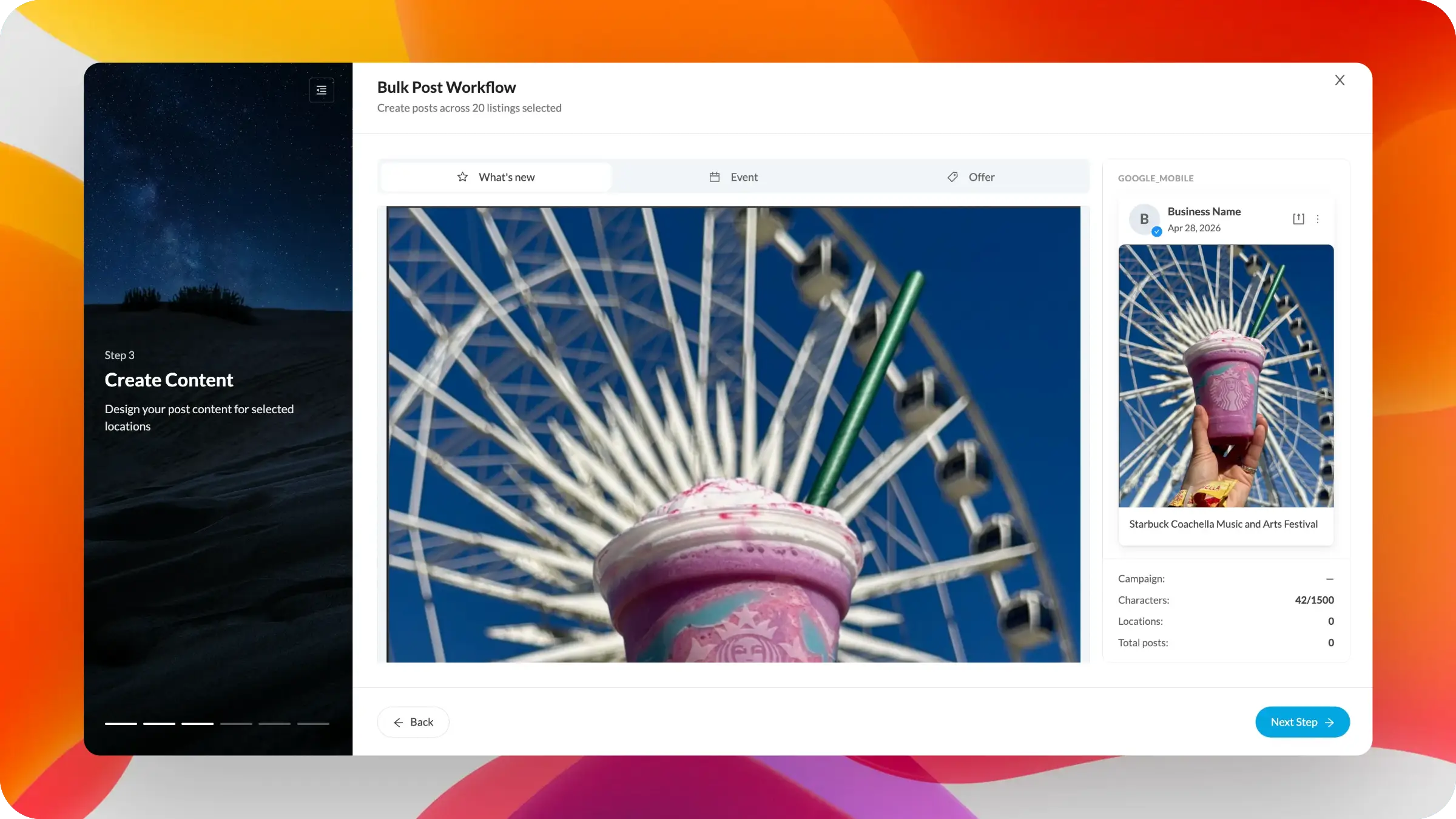
We’re bringing the new guided workflow experience to Bulk Post creation, making it easier to create, customize, preview, and publish posts across many locations at once.
This release turns bulk posting into a more visual, step-by-step process. You can build the post, select the post type, add media, customize content at scale with variables, preview how the post will appear, and address issues before publishing or scheduling.
Google Business Profile posts are an important way to share updates, offers, events, photos, and timely information with customers directly on Search and Maps. Google positions posts as a way to keep customers informed and help them decide whether to visit a business.
For a single location, creating a post is straightforward. For 20, 200, or 2,000 locations, the process becomes much harder. Teams need the ability to create consistent campaigns while still localizing details such as city, store name, offer language, event information, or location-specific calls to action.
The risk is not just operational. Posts also need to follow Google’s content and media policies, since submitted text, photos, and videos are subject to Google’s prohibited and restricted content rules. For enterprise teams, better error handling, stronger previews, and clearer validation reduce the chance that large campaigns fail late in the process or publish with avoidable mistakes.
The Bulk Post Workflow now uses the same multi-step experience introduced across our bulk editing tools.
You can create posts across selected locations in a guided flow, starting with the post type. The workflow supports common Google post formats such as updates, events, and offers, aligning with the ways Google allows businesses to promote announcements, specials, events, and timely updates from the Business Profile.
The content creation step now includes a dynamic preview panel, so you can see how the post is expected to appear before moving forward. As you add imagery and copy, the preview updates in context, helping you catch formatting issues, missing content, or message problems earlier.
The workflow also supports variables in post content, making it possible to customize at scale without creating separate posts manually for each location. Teams can use shared campaign copy while still inserting location-specific details where needed.
Error handling has also been improved throughout the process. Instead of discovering problems only after submission, the workflow is designed to surface issues earlier, helping teams correct missing fields, unsupported values, character limits, media problems, or other conflicts before the post is published or scheduled.
We’ll continue expanding the Bulk Post Workflow with Apple Showcases, richer preview options, and more campaign-level controls.


