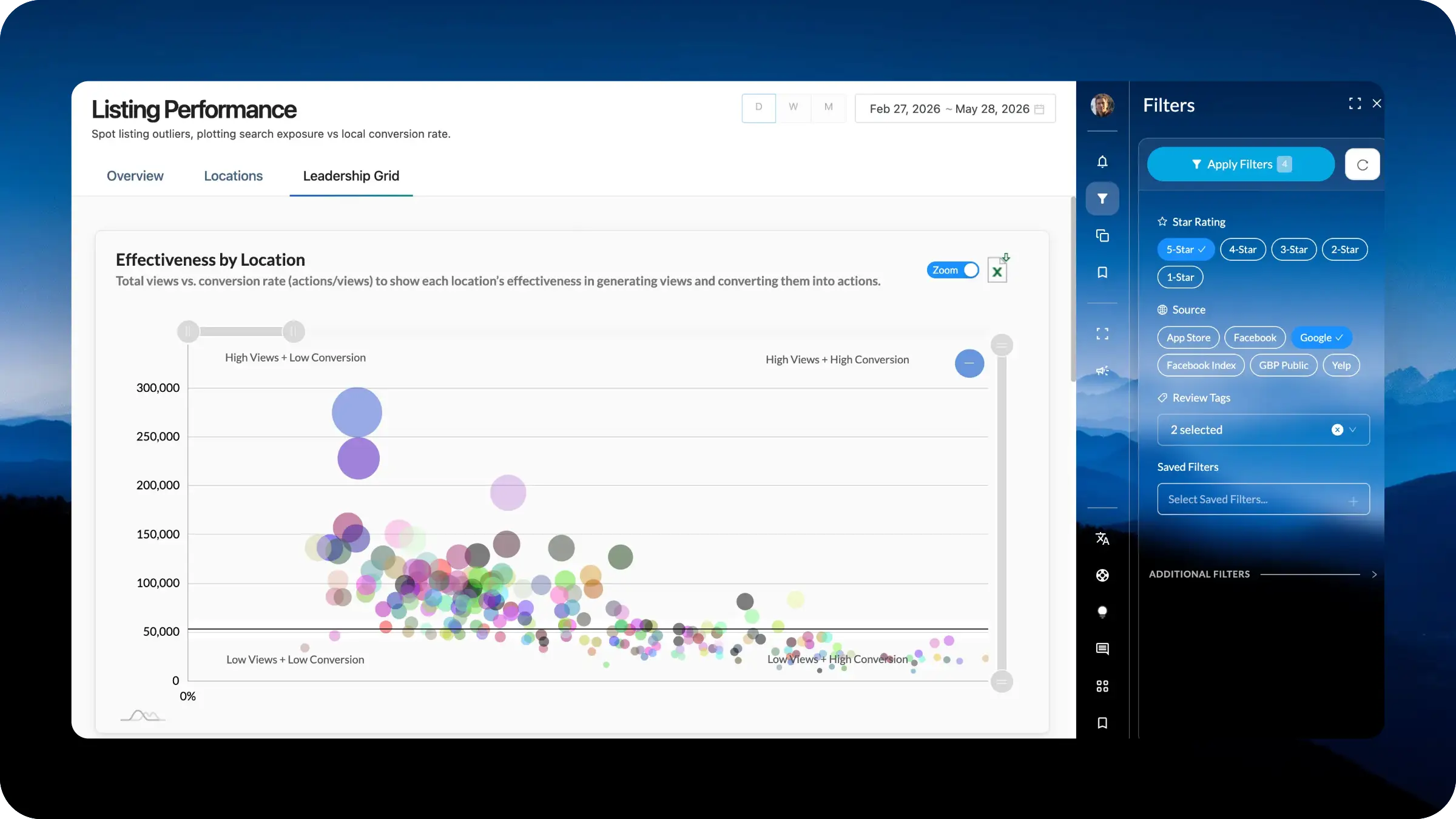
The new right-hand navigation is the connective tissue of LocalClarity. It is where filtering happens, where saved views live, where notifications surface, and where the next wave of capabilities will be launched. This release is a full overhaul of that surface, rebuilt around a single principle: the workspace should adapt to the user, not the other way around. Whether you are managing a handful of locations or tens of thousands, the controls you need most should sit closest to your hand, in the order that matches how you work. One navigation. Every module. Fully yours.
Filtering and navigation for a multi-location environment is never one-size-fits-all scenario. A reputation manager working a single enterprise brand does not think about their data the same way a regional director balancing franchise performance does, and neither workflow matches the one used by an agency managing dozens of client portfolios simultaneously. Historically, that meant every user worked inside the same static layout, clicking past filters they never used to reach the ones they relied on daily. It also meant that new capabilities had to be slotted into whatever space happened to be available, creating visual clutter and workflow inconsistency across modules.
The redesigned right-hand navigation solves both problems at once: it gives every user a persistent, consistent, and fully customizable command surface that matches their role, their accounts, and their priorities, while also establishing the architectural home for everything Lia is about to release.
Unified Filtering Capabilities: The right-hand navigation now offers common filtering options across all modules in LocalClarity. The iconography and the interaction model stay consistent no matter where you are in the platform.
Fully Customizable Filter Presentation: Users now have complete control over how filters appear within each module. A user managing a small portfolio can surface a tight set of daily-use filters while a user managing thousands of locations can prioritize their grouping controls. The presentation, the order, the priority, and the focus are all configurable per module for each Profile, so the workspace reflects how each individual actually operates.
Launch Surface for the Next Several Weeks of Releases: The new navigation is also the staging ground for a significant run of upcoming capabilities. Several releases queued for the coming weeks will surface directly through this panel, including expanded AI tooling, monitoring controls, AI chat, a new client communication portal, and much more. Building the navigation first means every one of those features arrives in a location users already understand, without retraining or module-by-module rollout.
The redesigned right-hand navigation is the foundation, not the finish line. Upcoming development extends the customization model to include saved layout profiles that can be shared across teams, role-based defaults for enterprise rollouts, and a steady cadence of new capabilities launching directly into the panel over the next several weeks.
Each coming release will reinforce the same pattern: one consistent surface that is endlessly adaptable to the person in front of it taking local intent to immediate action.


