We’re introducing scheduling for the Bulk Edit Workflow, giving you control over when listing updates go live across selected locations.
Instead of applying every bulk edit immediately after upload or submission, you can now choose to publish changes right away or schedule them for a specific future date and time. This gives you a more intentional way to manage holiday hours, temporary changes, campaign updates, category adjustments, and other listing edits that need to launch at the right moment.
Not every listing update should go live immediately. Many changes are time-sensitive. Temporary closures may need to begin on a specific date. Campaign-related updates may need to align with broader marketing or operational plans. Category, attribute, or hours changes may need internal approval before they are visible publicly.
In 2026, we’re also seeing Google place more emphasis on active local profiles. Consistent updates and fresh content are increasingly tied to stronger local visibility and engagement. Google has also continued adding surfaces for timely business updates, such as restaurant specials and event-style content directly in Search, reinforcing that Google wants to profiles to serve as dynamic customer-facing channels, not static listings.
As your team manages more locations and more types of listing updates, timing becomes just as important as accuracy. Scheduling gives you a safer way to prepare edits in advance, coordinate across teams, and reduce the pressure of making changes manually at the last minute.
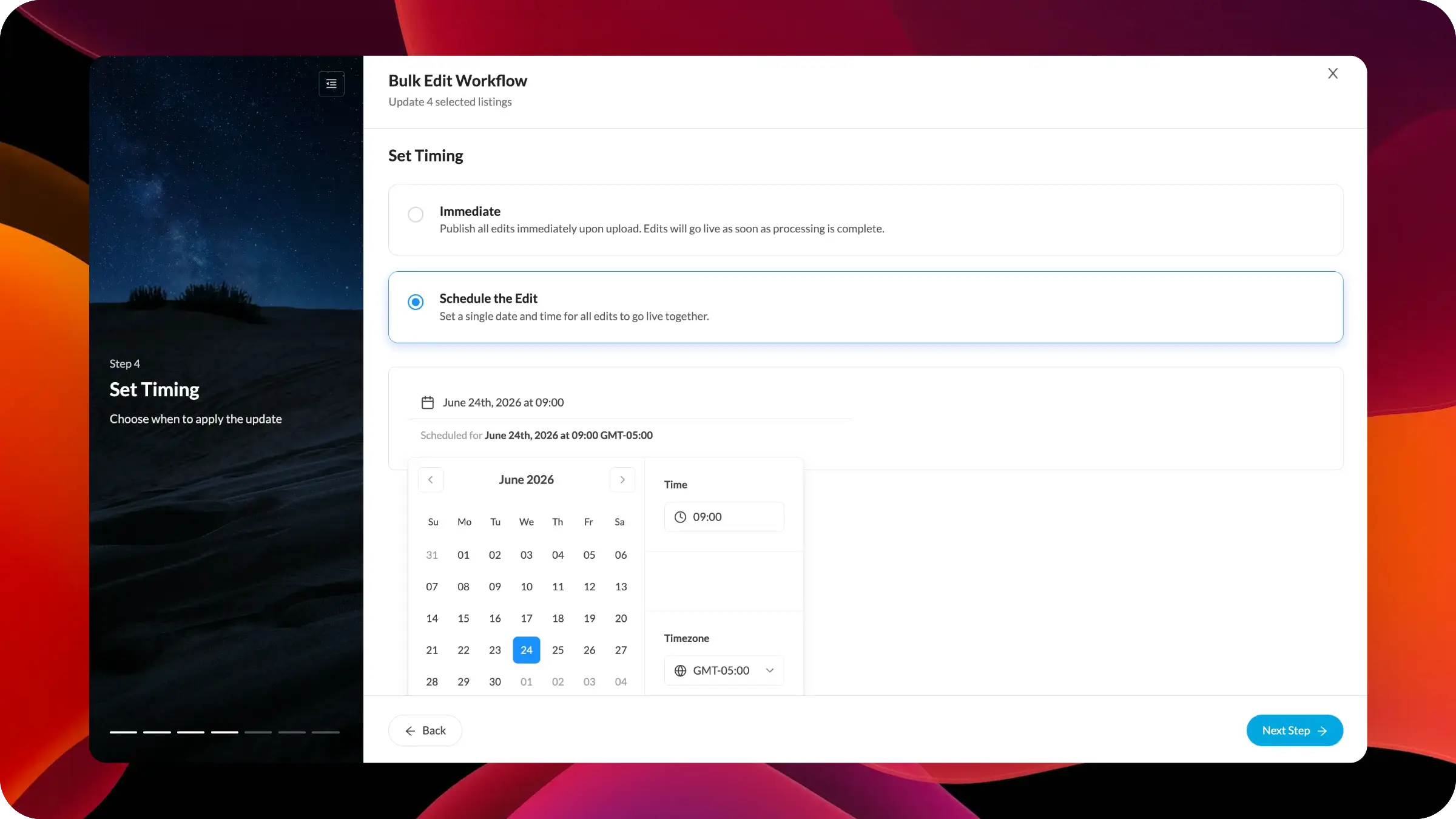
The Bulk Edit Workflow now includes a dedicated Set Timing step. From this step, you can choose between two publishing options:
Immediate applies the edits as soon as processing is complete.
Schedule the Edit lets you select a specific date and time for the selected edits to go live together.
When an edit is scheduled, the workflow displays the selected publish date, time, and timezone, so you can confirm exactly when the update will be applied before moving to the next step.
This scheduling control works within the guided Bulk Edit Workflow, so you can first choose the listing element to update, enter the new value, review the affected listings, and then decide whether the update should be published now or held for a future time.
We’ll continue expanding scheduled bulk edits with more visibility and management controls. Upcoming enhancements will focus on helping you review pending scheduled edits, make adjustments before they go live, and better coordinate future updates across campaigns, holidays, operational changes, and location groups.


