How and where to access each update flow type's historical records
Where each update history is found is dependent on where and how you made the updates.
There are four ways to update your listings details in LocalClarity: the Bulk Upload GBP Detail flow, the Bulk Spreadsheet flow, the individual edit flow, and the one-to-many flow. Each has different use cases and can typically be found within or nearby the controls for the flow itself.
Bulk Upload GBP Detail:
This edit history can be found by navigating to Local Listings > Listing Management, and clicking the blue menu drop down on the right of your page. Scroll down to “GBP Detail History”. This is where you can find the edit histories for updates made through the “Bulk Upload GBP Detail” flow.

Spreadsheet:
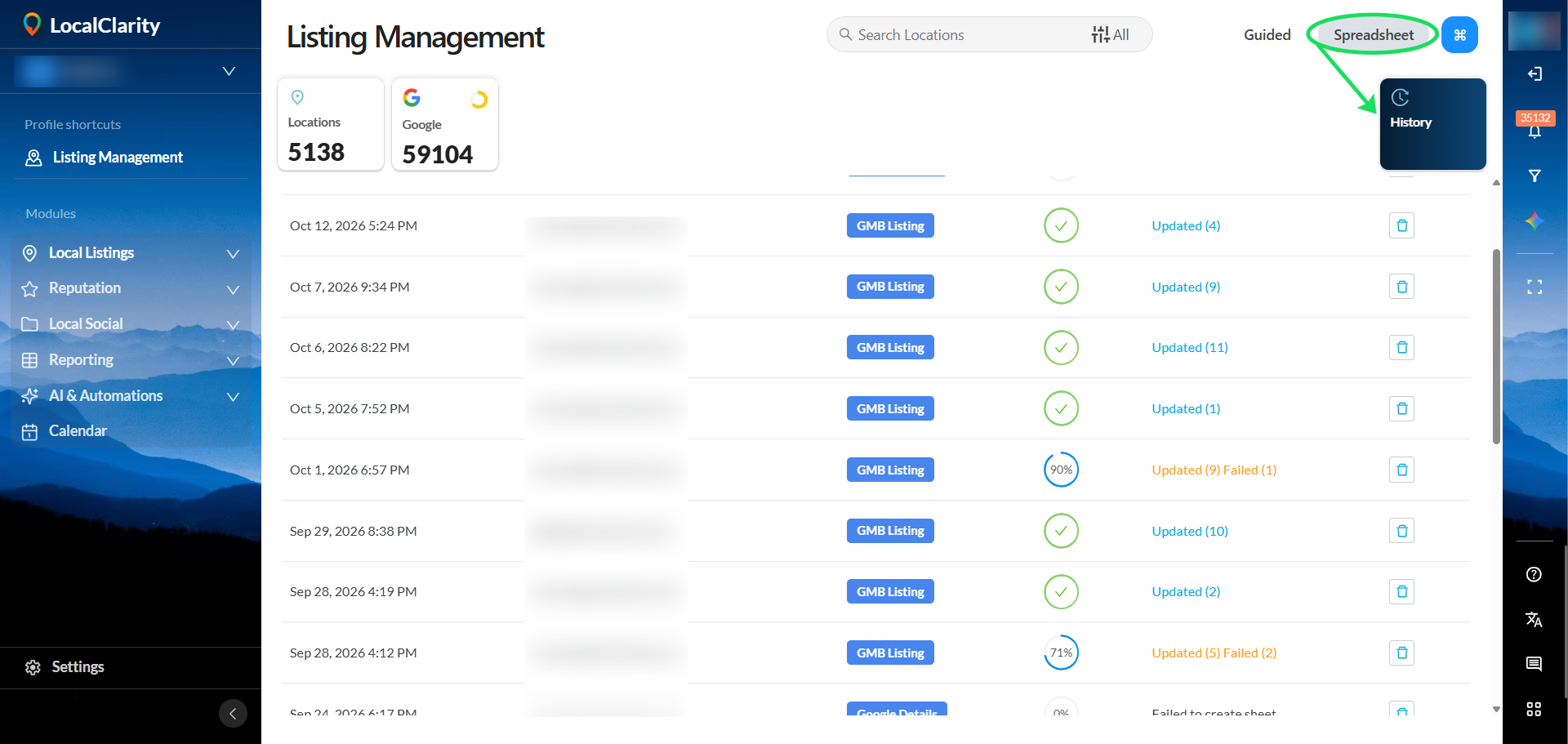
This edit history is found just underneath the “Spreadsheet” tab, displayed as a square tile that says “History”. This is where you can find the edit histories for updates made through the "Spreadsheet" update flow. Be aware that the trash icon will simply remove the record of the update made, and not the update itself.
Updating using Individual Listings:
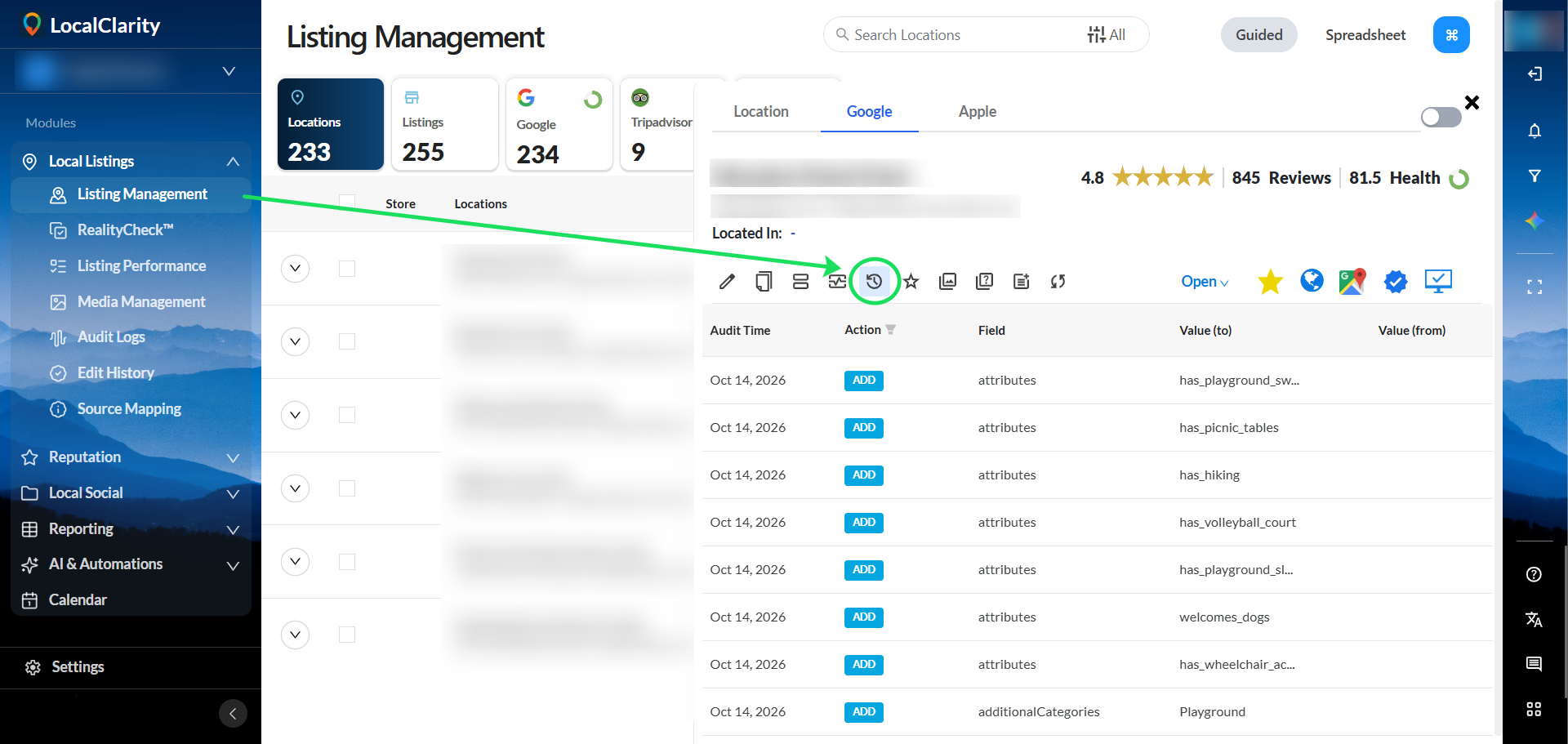
Still in the Listings Management page, the edit history for individually made updates is found just four tabs over from the “Edit” tab in the “Edit Log” tab on both Apple and Google listings.
Updating using One-to-many:
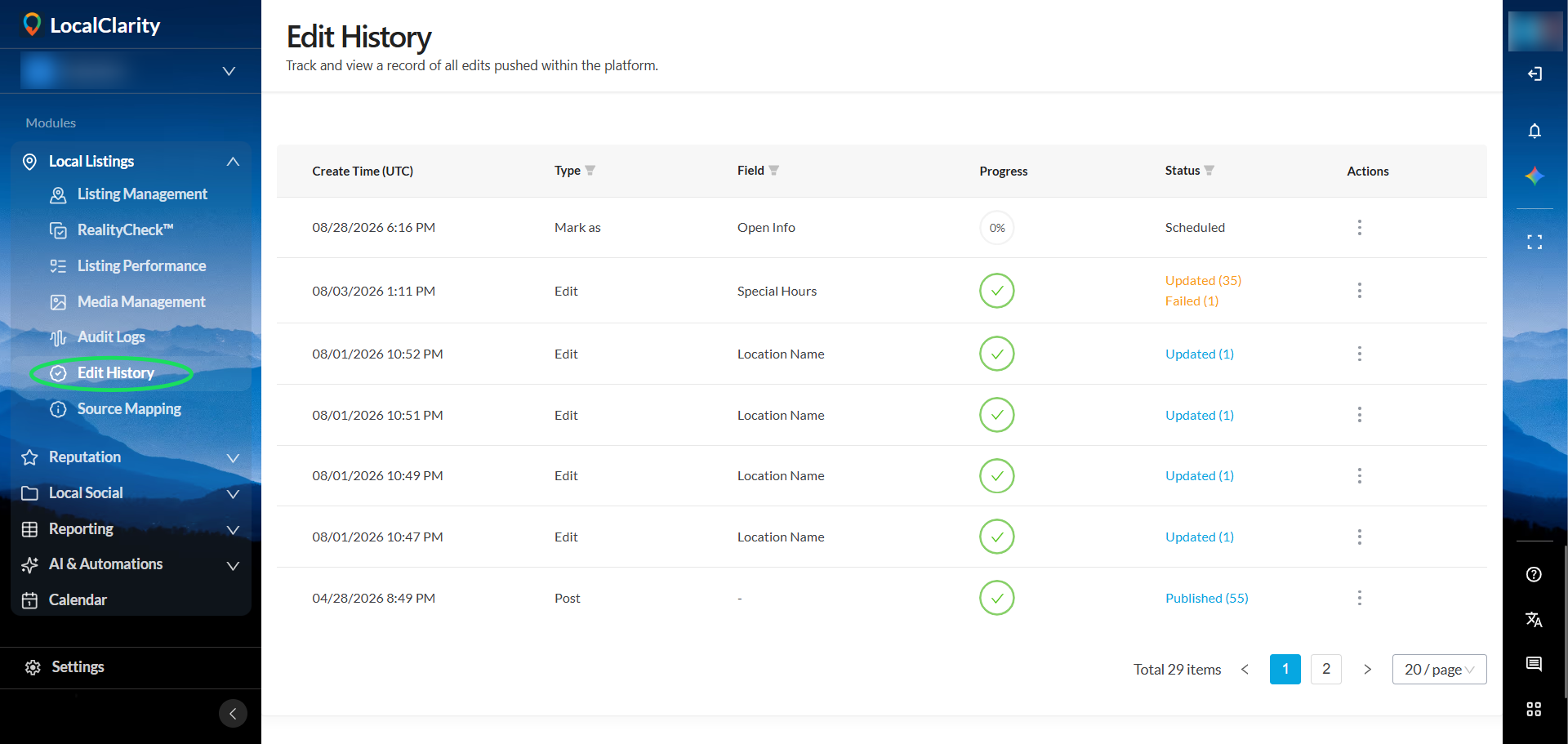
We’ve also added a page within the Local Listings module called “Edit History”. This holds the edit logs for all location updates made in the one-to-many workflow within the guided Listing Management page.