
To be eligible for location ads on Apple Maps, you must first ensure that your geocode information is correct. Here's how.
To be eligible for ads on Apple Maps, your location data, including addresses and coordinates, must be populated and accurate. Apple defines "inaccurate"coordinates as anything that is over 1km (or about 3,280 feet) away from the address of the location.
You can determine which locations are missing coordinates by first downloading your Apple listings information from Local Listings > Listing Management and then clicking on the Apple card to filter by only your Apple listings. After that, you'll trigger the download from the blue dropdown.
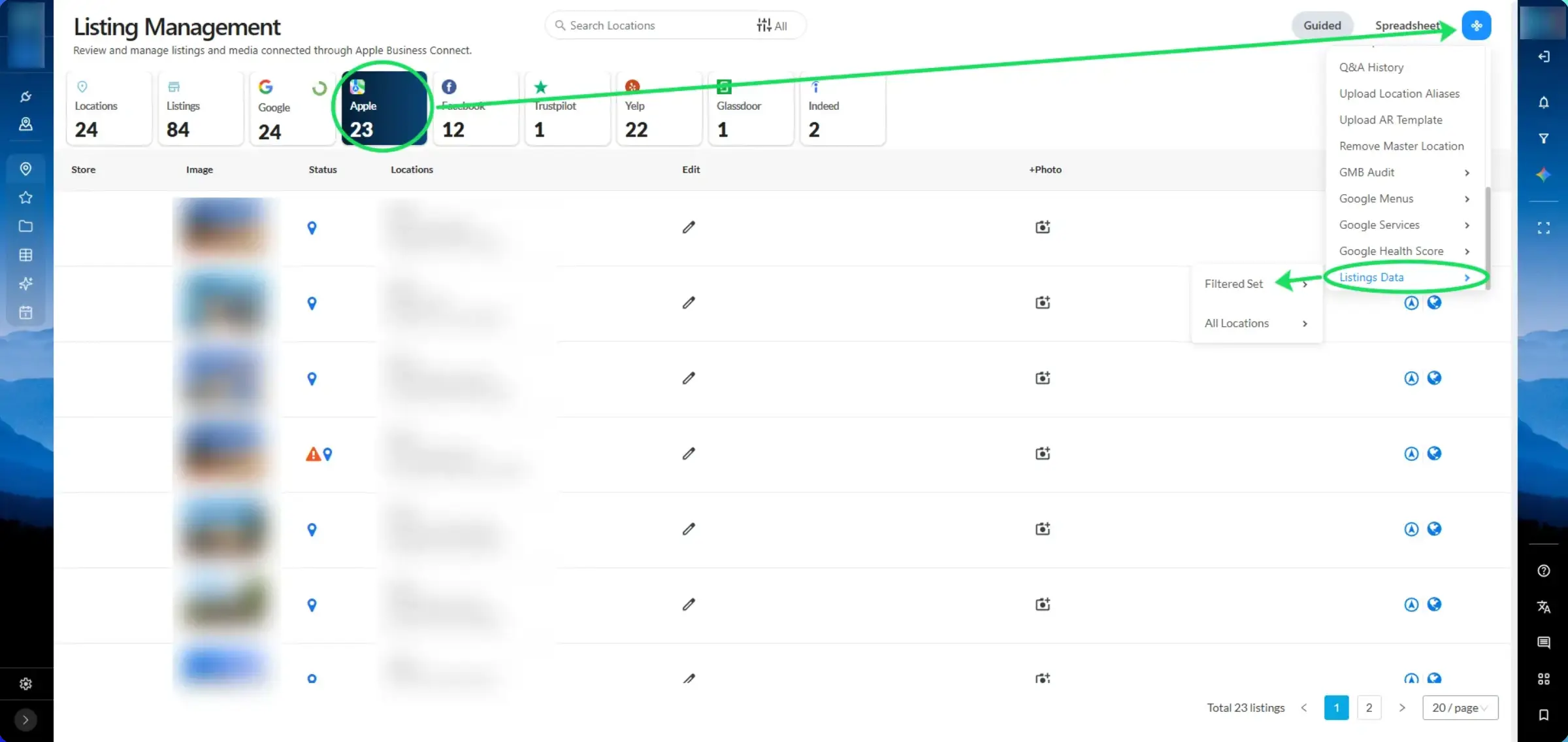
This download will give you all the listing details for your Apple listings. You will see columns populated with Longitude and Latitude values. Filter on these columns by "blanks" and you will see the listings to which you need to add geocode coordinate information. To find inaccurate coordinate data, you'll have to audit your existing coordinates against the true coordinates for your location addresses.
However, since geocode coordinates are not part of the Apple API, you’ll need to manually update the coordinates through ABC itself using the information you exported from LocalClarity. If you are a multi-location brand, note that you should go through the separate brand groups for easier an updating process.
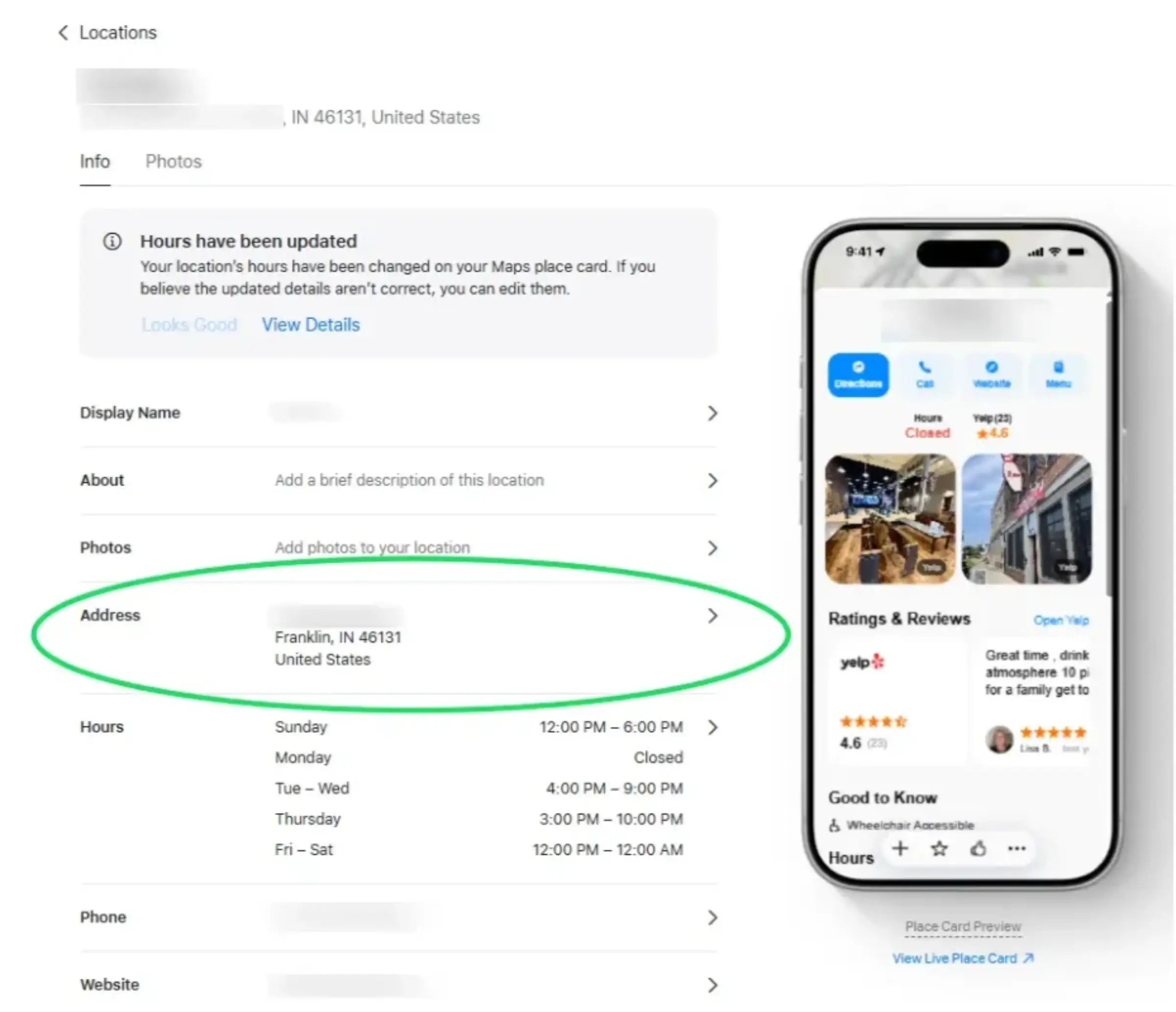
Within Apple Business, navigate to either your Brands page of the Locations page, depending on the volume of locations you are updating. Once you navigate to the listing that needs to be updated, click onto the address field and it will take you to the address page.
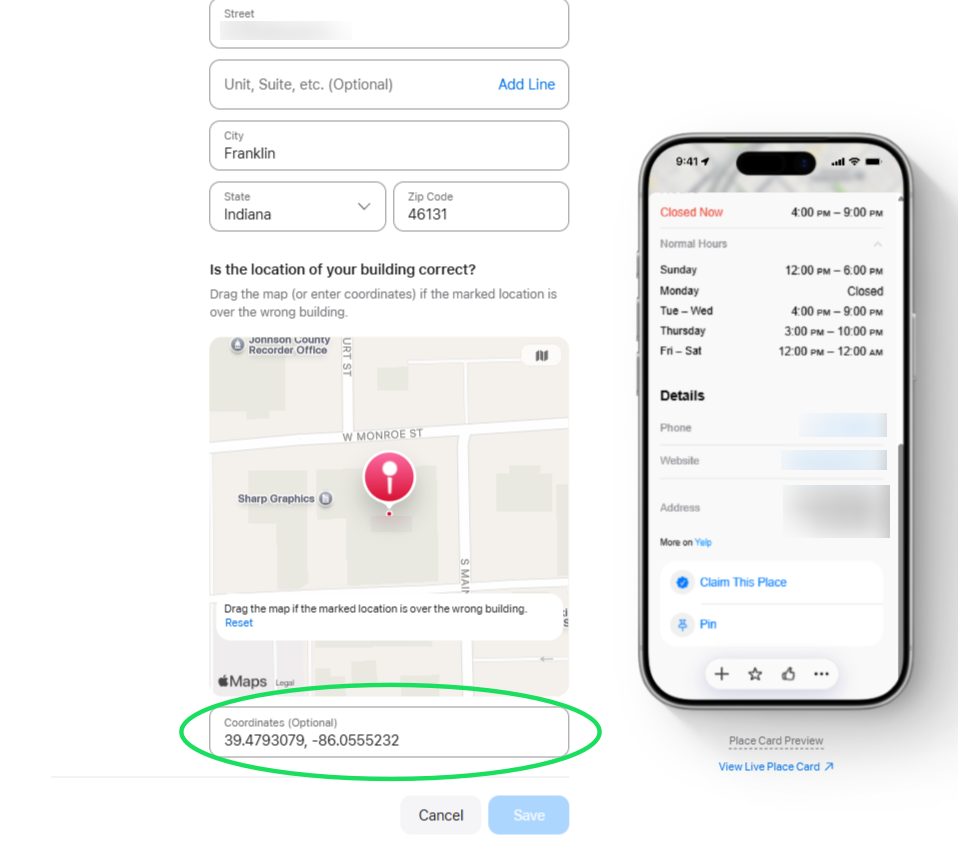
At the bottom of this address page, you'll see the coordinate area where you can either click and drag the pin onto the correct coordinates or input them directly before clicking "Save".
Reach out to Apple Business to request participation in their Ads program.


