
Make sure you are grabbing the correct PlaceID to index listing details from Google.
Whether you want to pull in competitor details, or your own Google reviews to your profile it is important that you are grabbing the correct Place ID. This will allow us to index the listing details into your profile for easy insights at scale.
How do I grab a PlaceID?
A place ID is a textual identifier that uniquely identifies a place. The length of the identifier may vary (there is no maximum length for Place IDs).
Examples:
- ChIJgUbEo8cfqokR5lP9_Wh_DaM
- GhIJQWDl0CIeQUARxks3icF8U8A
- IhoSGAoUChIJ0U6OoscfqokR6P225pApu2UQDQ
Click here to use Googles PlaceID finder to easily find them
Can I just use the address of the listings I am trying to index?
In the event of indexing PlaceIDs from Google, it is important to grab the listing, rather than the address. Although the Address does have a unique PlaceID, Google more than likely does not have reviews for an address. When trying to pull from an address with no reviews, there will be no results pulled into your profile, prompting an initial fetch failed status.
.png)
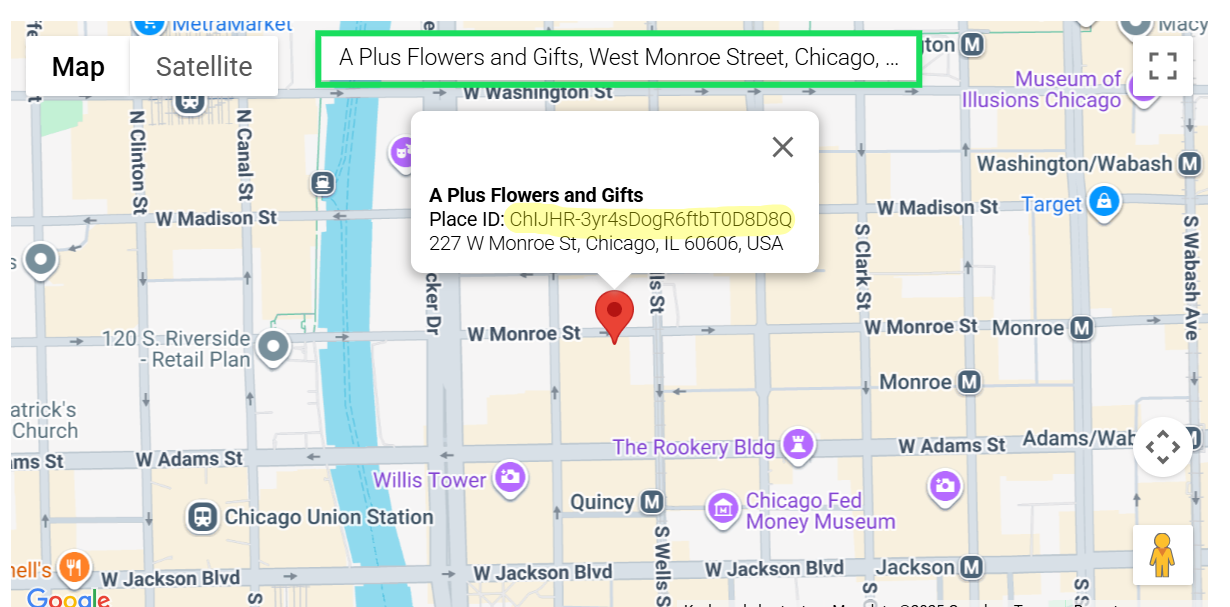
Instead it is important that when you are using Google's PlaceID tool, you should search the business name in addition to the address.
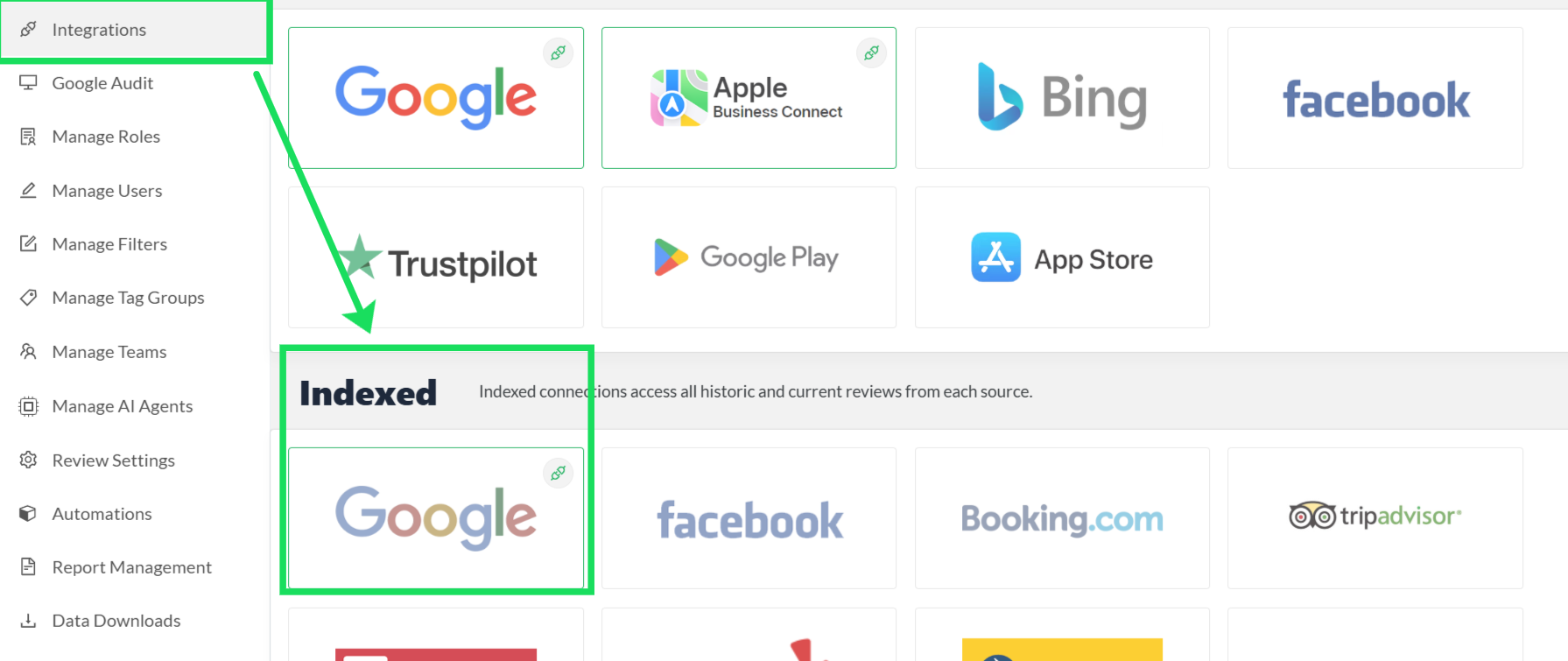
Once you find the correct PlaceID, go to your Settings tab, click on the integrations section, and go to to the Indexed Google icon that is slightly grey.
Once there, click the Add Location button in the upper right hand corner and paste the PlaceID in that tab. Mark properly if the PlaceID is a competitor versus your own. Then Click Add. This will begin the integration process for you.
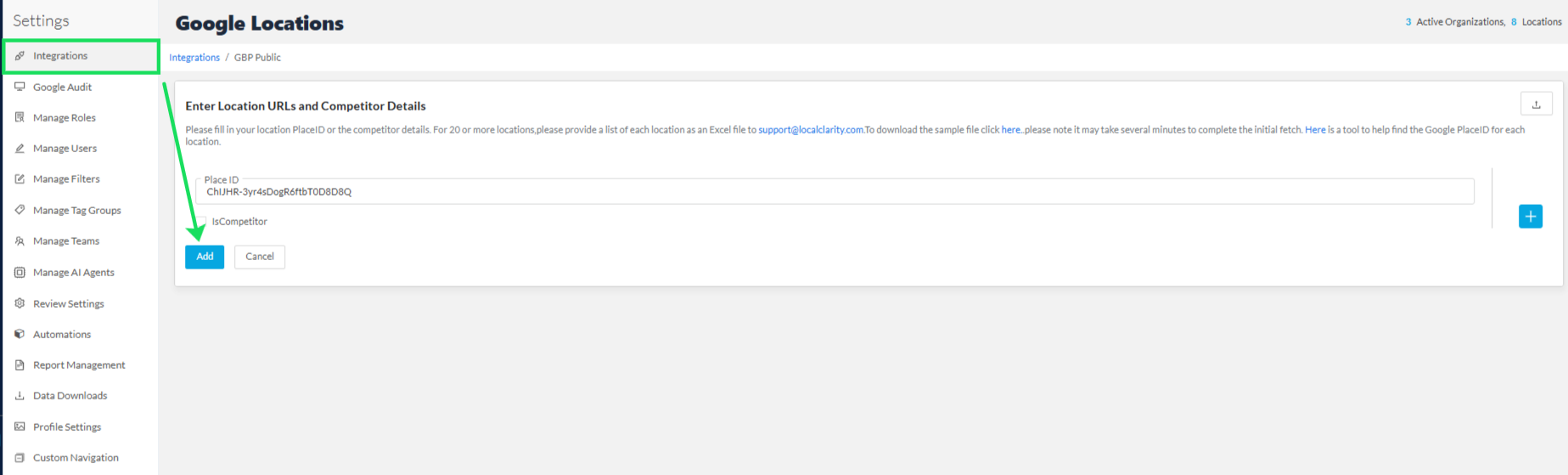
You have now correctly added the proper PlaceID to your profile!


