
LocalClarity allows users a simplified workflow to import your listing details from your profile directly into your Apple Business Account
Using your LocalClarity profile, users are now able to import listing details to connected Apple Business accounts using the 'Create Listings' workflow. This enhancement gives you complete visibility and control over your business presence across platforms. Before you begin building out your Apple listings, make sure that your Apple Business account is connected.
It is important to also consider that all of the listing's details you are looking to import meet these requirements:
- Listing should be marked as open
- Listing should have Business Authority (Verified and Live)
- Should have Voice of Merchant
- Should have an address
- Should not be hidden in the platform
- Should not be suppressed
- Should not be competitor location
- Should not be detached
- Should not be disconnected
If your listing meets all of these requirements, you can proceed with the import process.
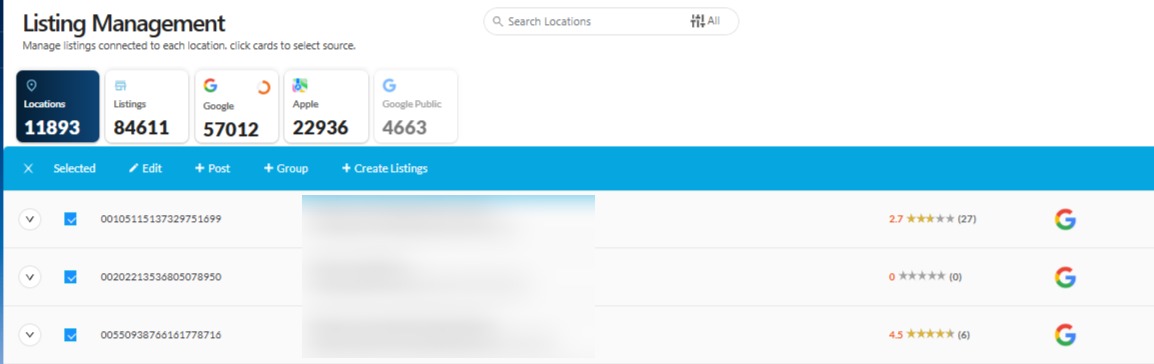
Users cans start the import workflow by going to the Listing Management module. Users can select the required locations from the main Parent table. This will open up the one to many workflow. Click on the 'Create Listings' button to begin importing those details over.
If you are managing multiple brands in your Apple Business account, it is important that you select the right brand when importing these details. Your listings naming structure should allign with the brand name, otherwise the import process will not be successful.
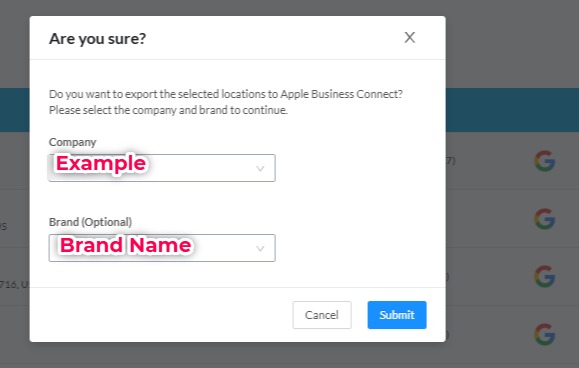
If you have any questions about the naming convention and what is acceptable, please view Apple's Display Name Rules for clarification.
Now that the import preparation process has been put together, the final step in this process is to review the data and push it off to your Apple Business account. This final process is completed in the Apple Business Integration page. In the right hand corner, you will find a button that is labeled "Import Location Details". From there you can select the listing you are looking to import and then press publish.
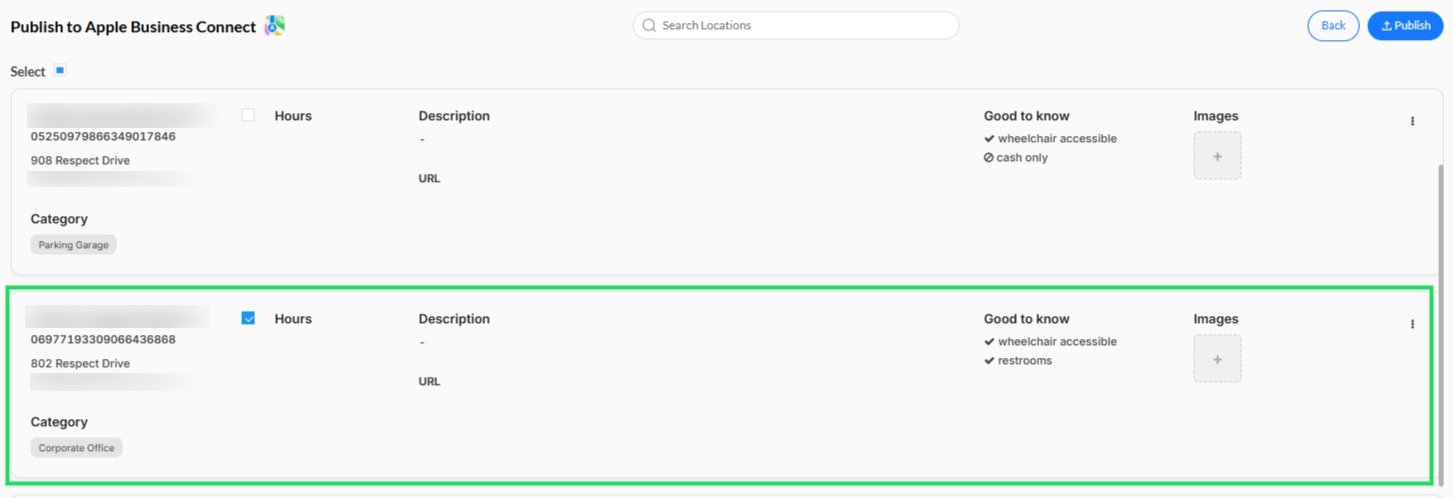
You can also edit and update details before importing to your Apple Business Connect account. A location imported will be reviewed by Apple and should be published within 15 mins to 1-2 days. After the listing processed by Apple and is live, you can make updates to them.


