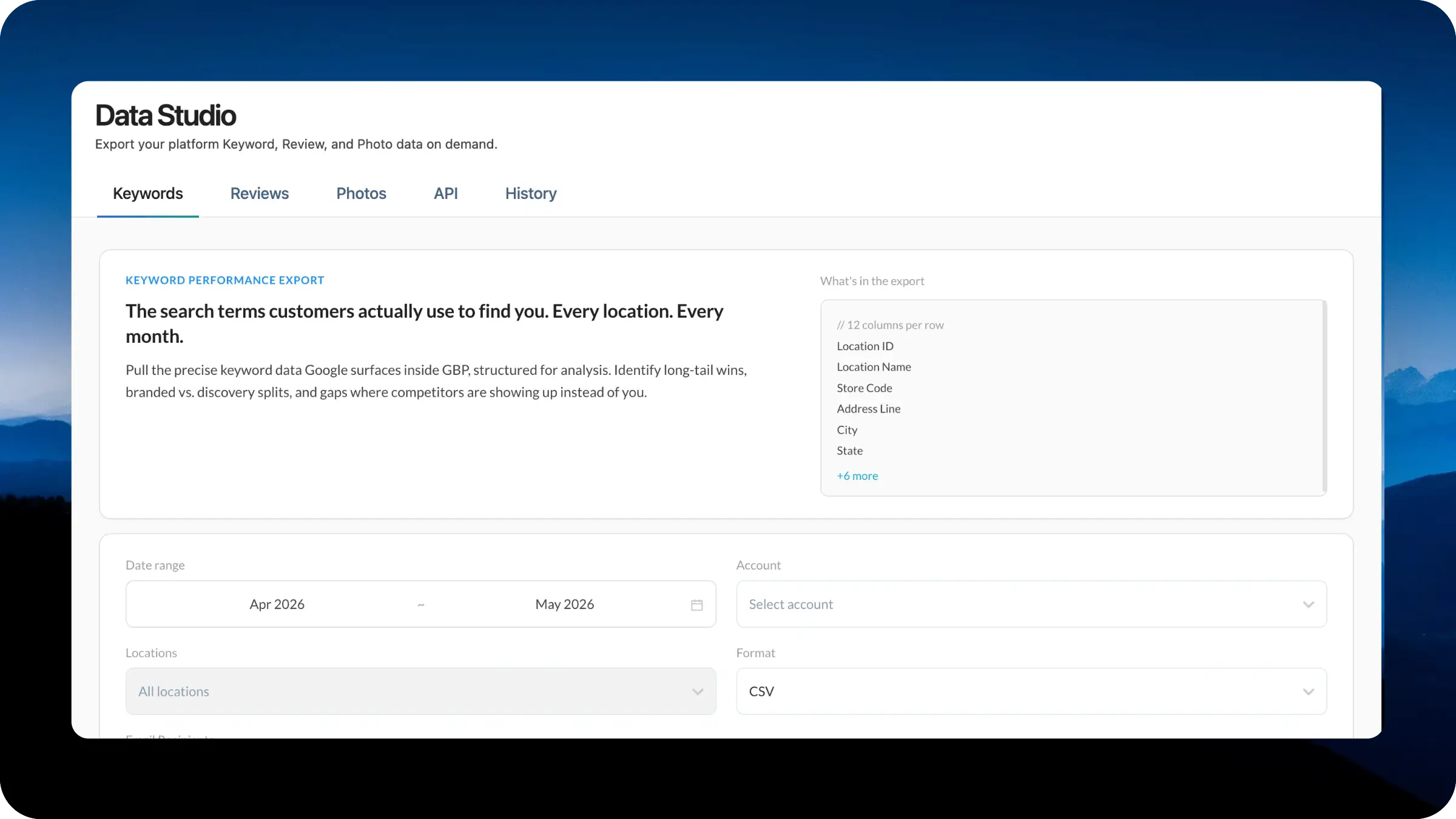
Data Studio gives your team a central place to turn your data into usable business inputs. Whether you are building dashboards, auditing performance, powering AI workflows, or running deeper location-level analysis, the new workspace makes exports, API access, and download history easier to manage from one dedicated section.
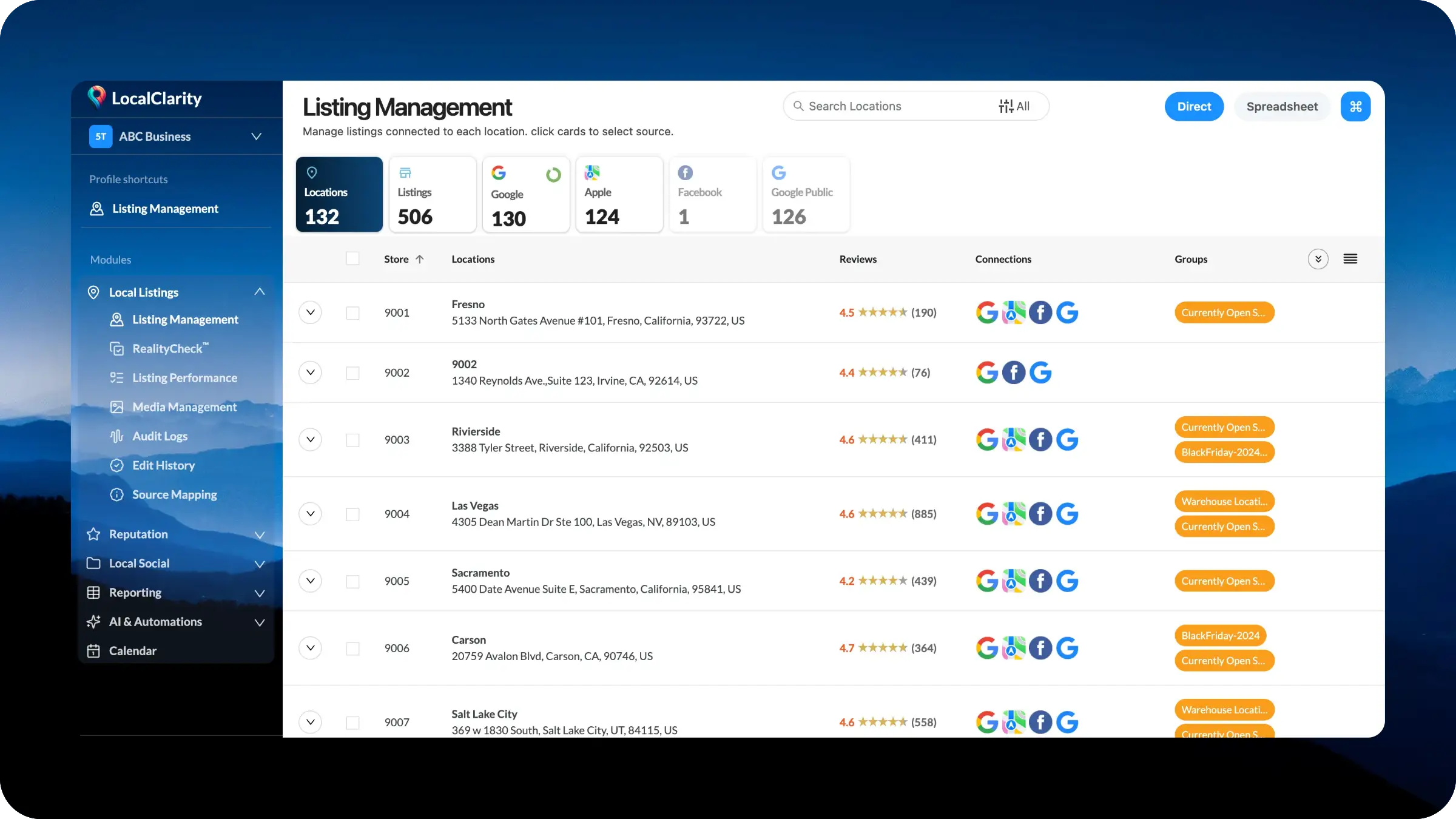
Listing Management is moving into a dedicated Local Listings module with cleaner left navigation and a more connected workflow. Core listing tasks, including location records, source data, RealityCheck™, performance, media, audit logs, edit history, source mapping, and spreadsheet management, will now sit together in one place. Teams can move from source overview to detailed management faster, with less searching and a clearer structure built for scale.
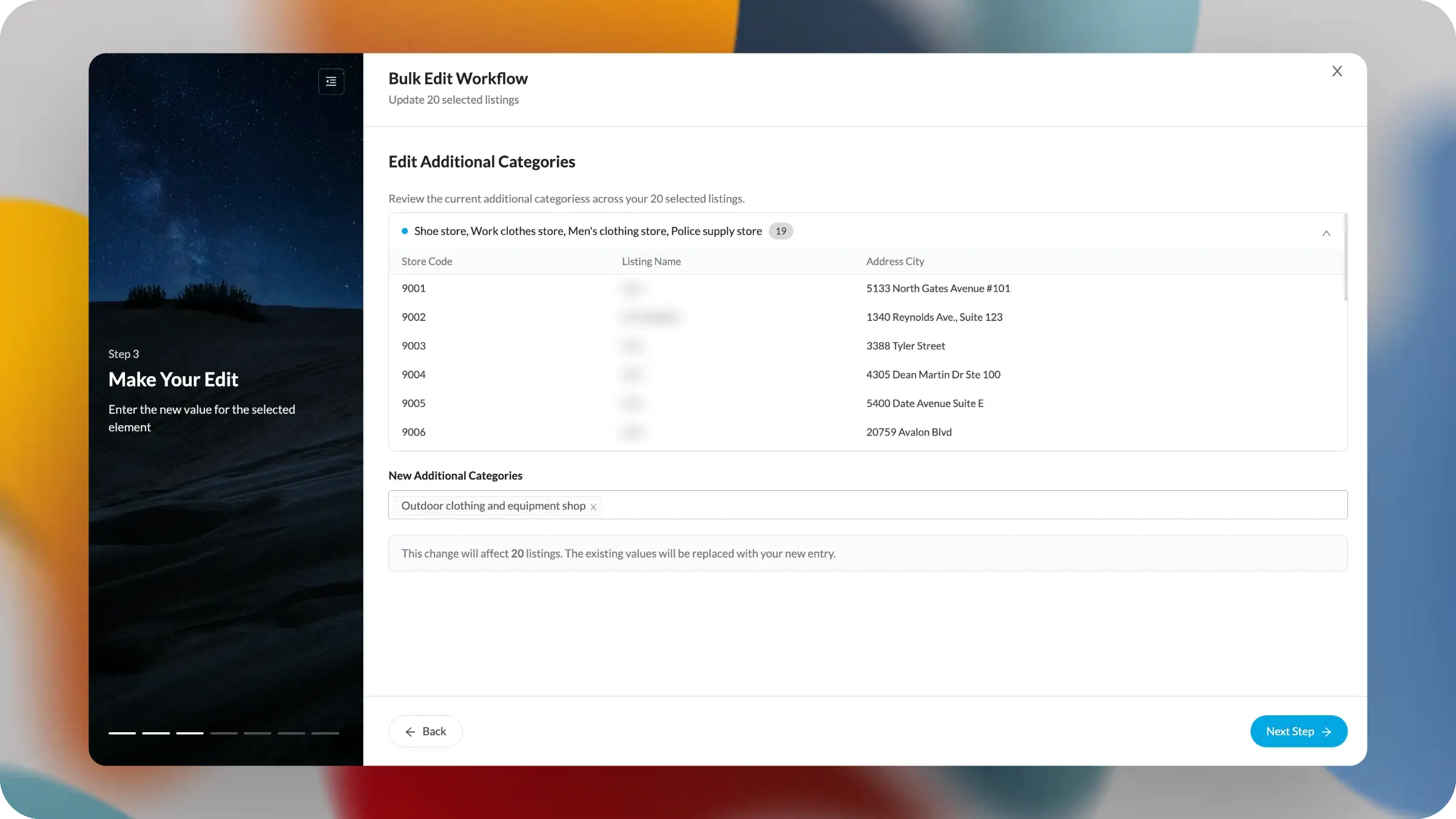
The new one-to-many edit experience is a major step forward for confident enterprise listing management. Large updates no longer have to feel like a leap of faith. Teams can now review current values, see affected locations, and confirm the exact replacement before moving ahead. It brings visibility, control, and confidence to changes even the largest updates.
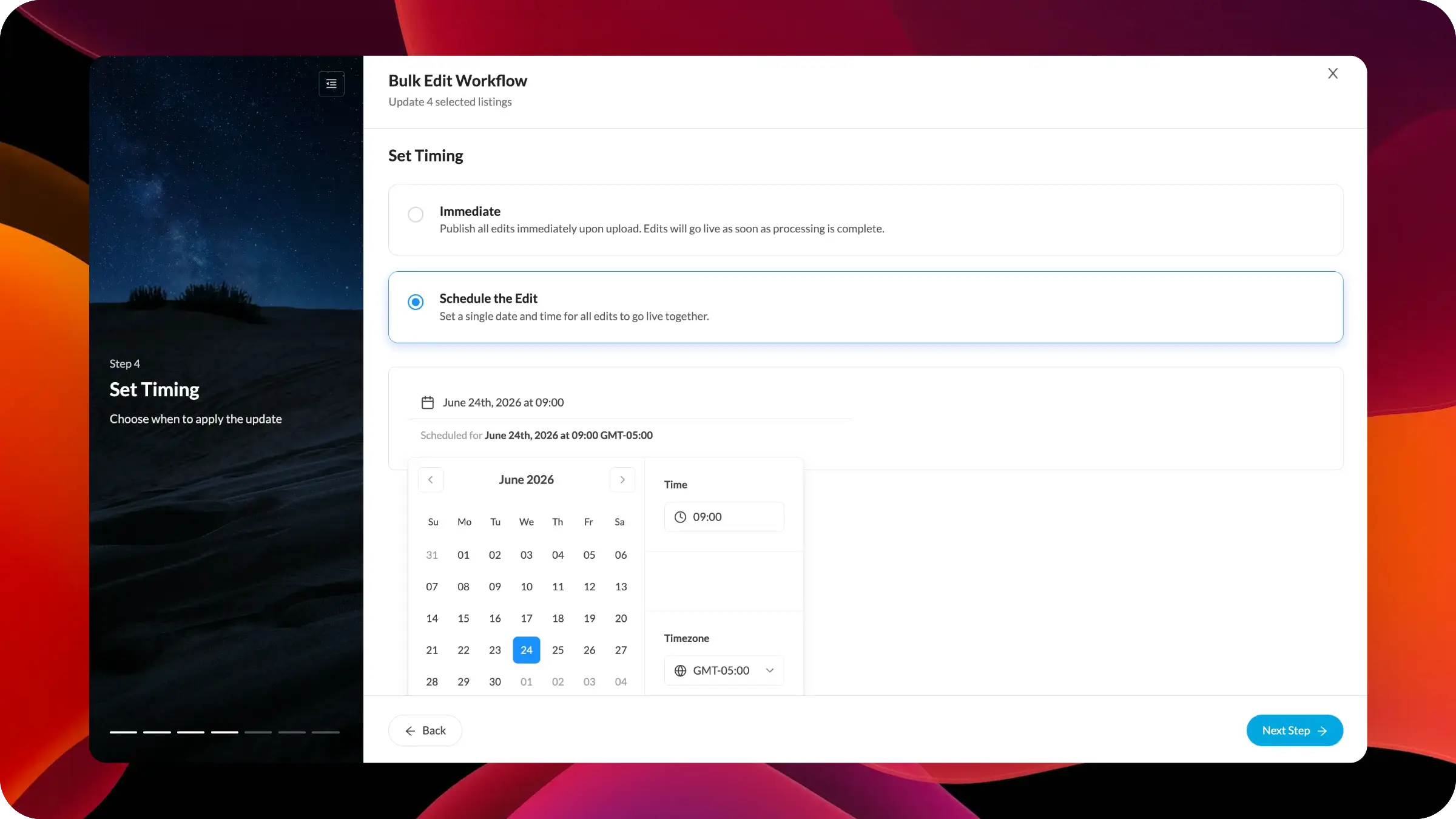
The new scheduling option gives you greater control over when bulk listing edits go live. Prepare updates in advance, review affected locations, and choose to publish immediately or at a specific future date and time. This makes it easier to coordinate holiday hours, campaign changes, temporary updates, and approved listing edits.
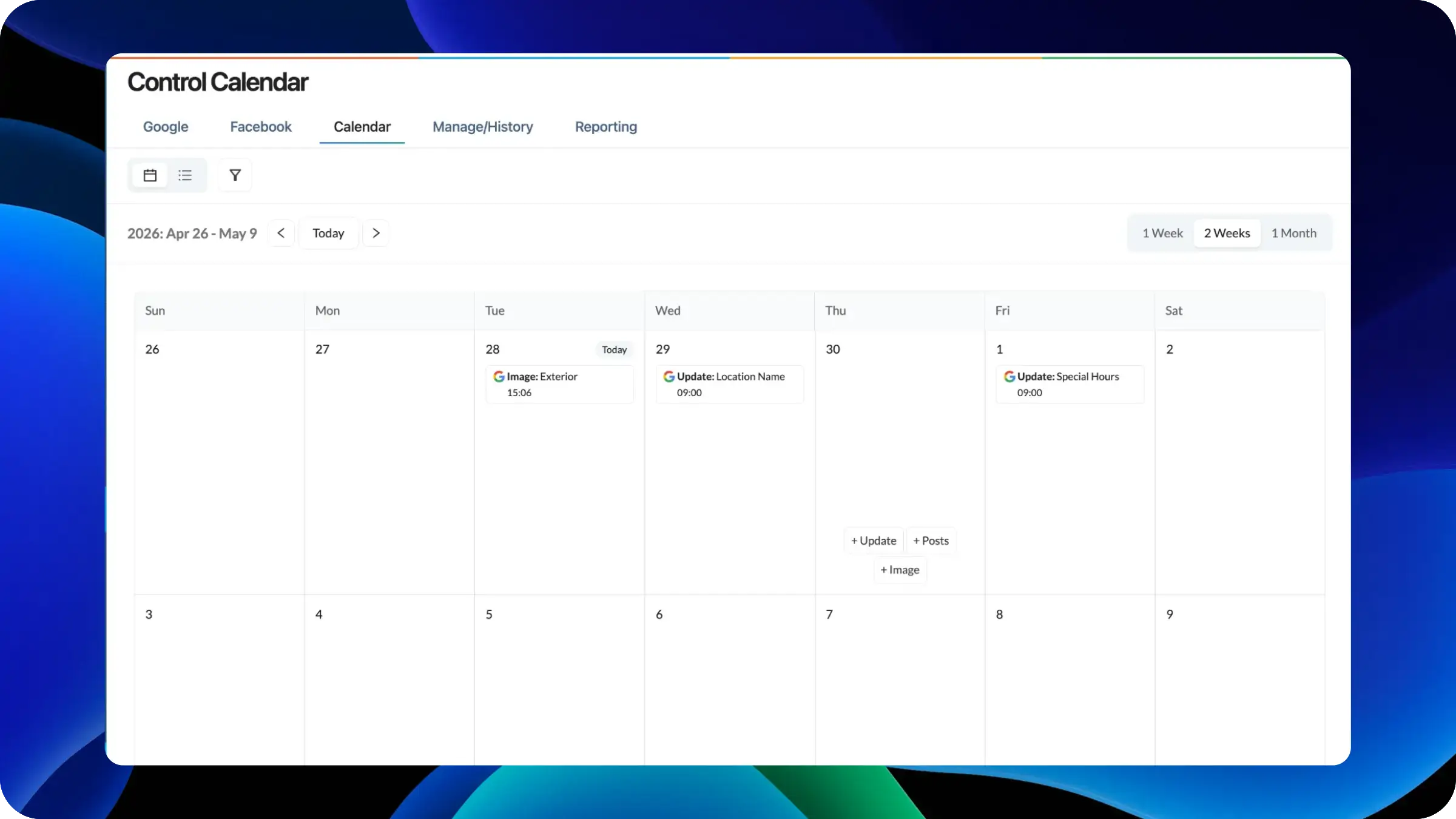
The new Calendar View gives teams a visual way to plan, schedule, and manage content updates across locations. Posts, listing edits, images, and bulk operations now appear in a unified calendar with weekly, two-week, and monthly views. Teams can create content from any date, filter by location or status, and switch between calendar and list views.
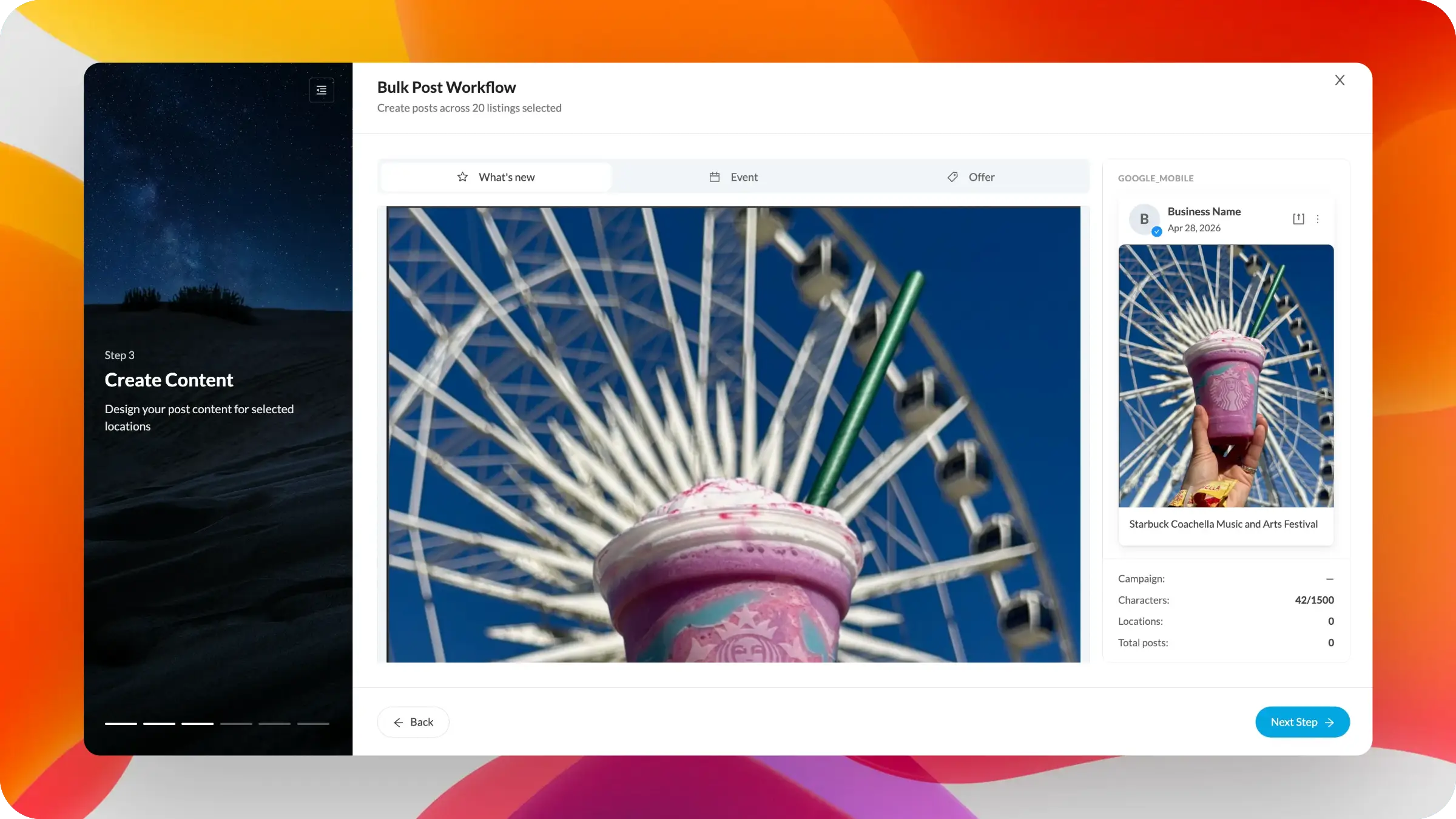
The new Bulk Post Workflow brings structure and confidence to multi-location publishing. Teams can now build posts through a guided flow, add location-specific variables, catch issues earlier, and preview how content will appear before publishing. It makes large post campaigns easier to customize, validate, and launch across every selected location.
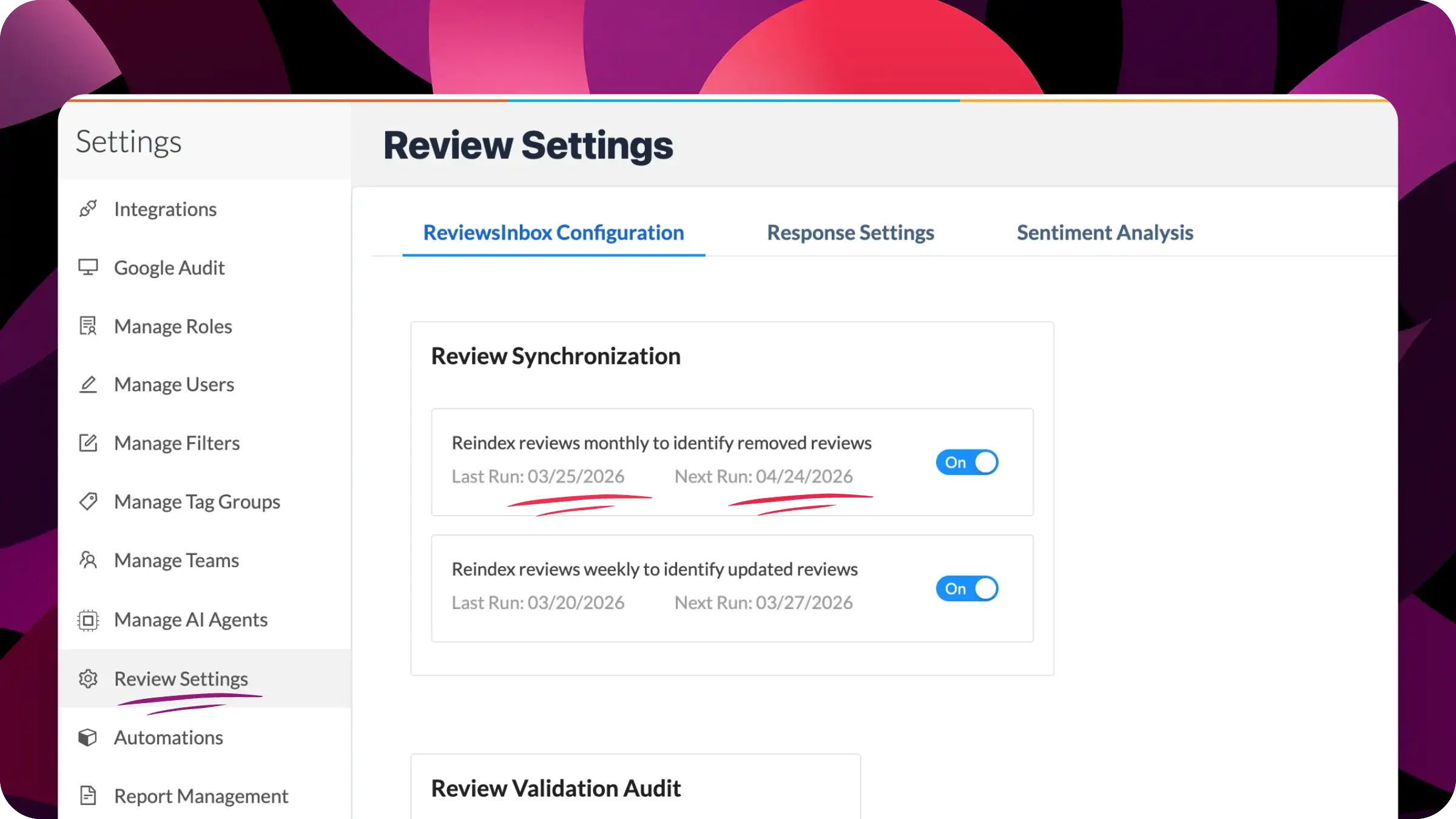
LocalClarity has enhanced its Review Timeline with more frequent reindexing and greater control over how Google reviews are tracked. As review removals and edits accelerate at Google, this update gives users easy access controls to check for updates on recent reviews.
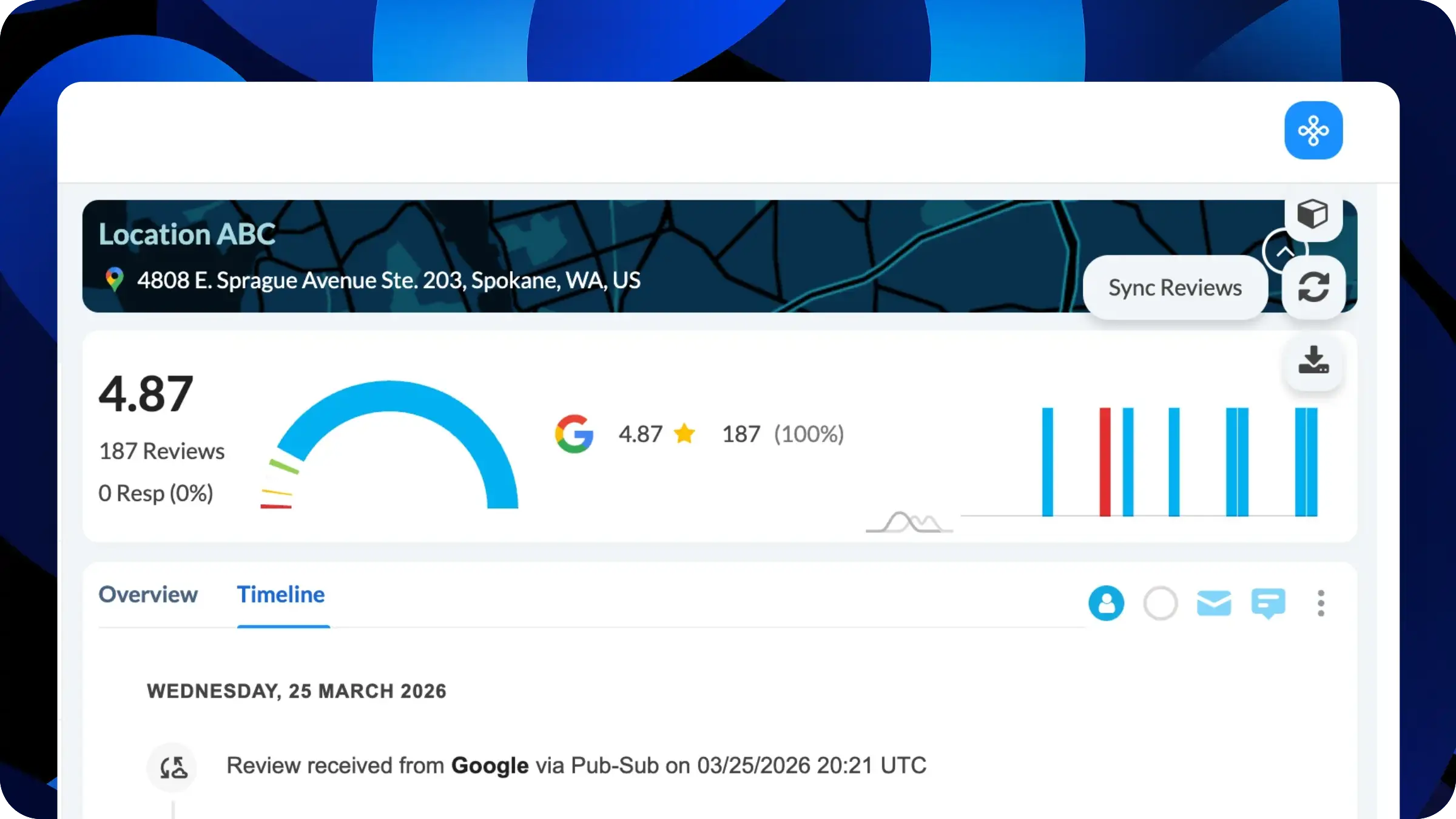
Review validation audits are now a fully transparent, trackable system. Users can see exactly when audits last ran and when the next ones are scheduled, bringing complete visibility to data freshness. This makes it easy to confidently explain review discrepancies, validate reporting, and align operational workflows with actual audit cycles. Teams gain the clarity they need to trust their data and act on it decisively.
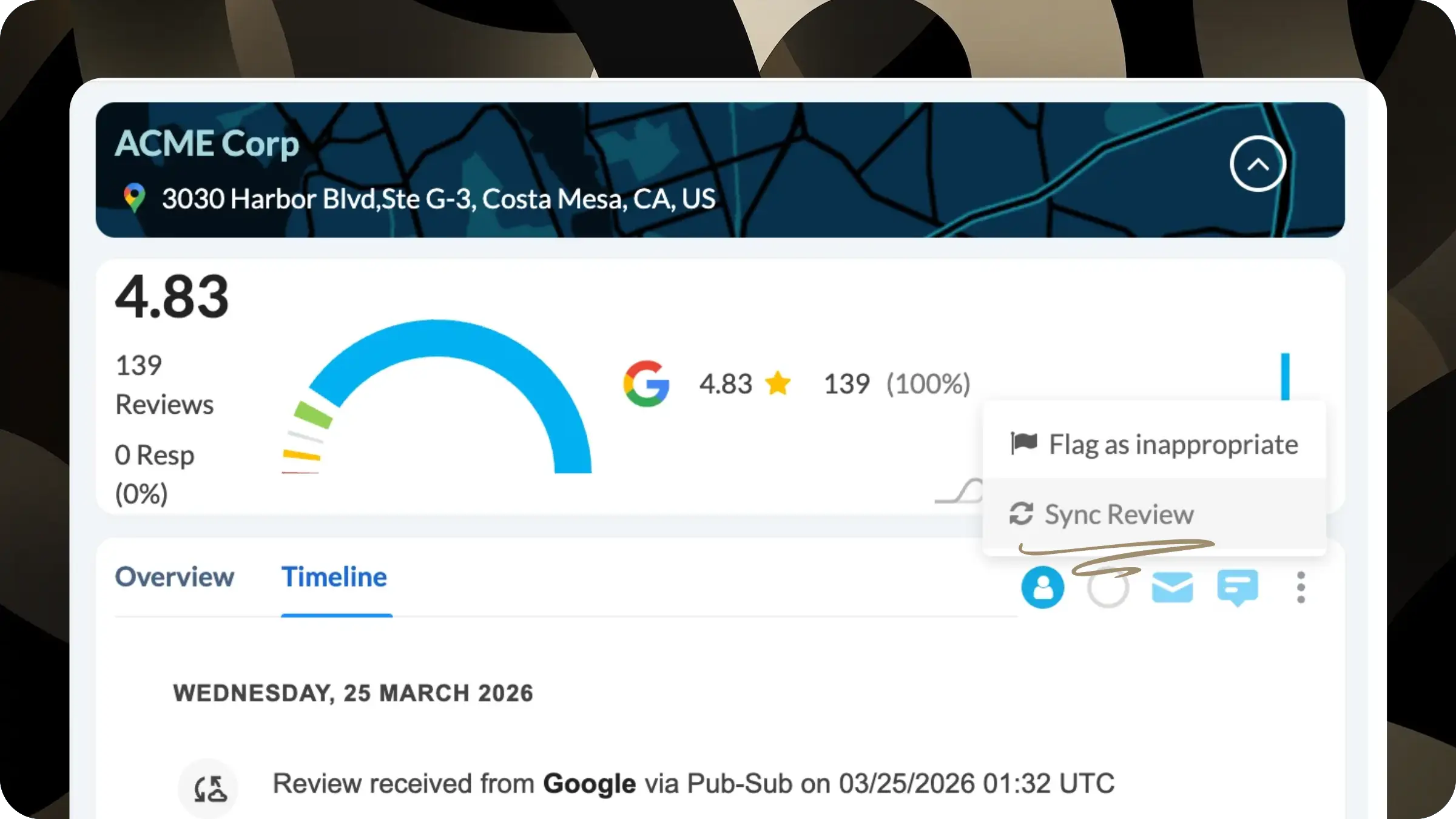
This release introduces a one-click “Sync Review” action, enabling users to instantly validate an individual review against the source platform and confirm whether it has been updated, removed, or remains unchanged.
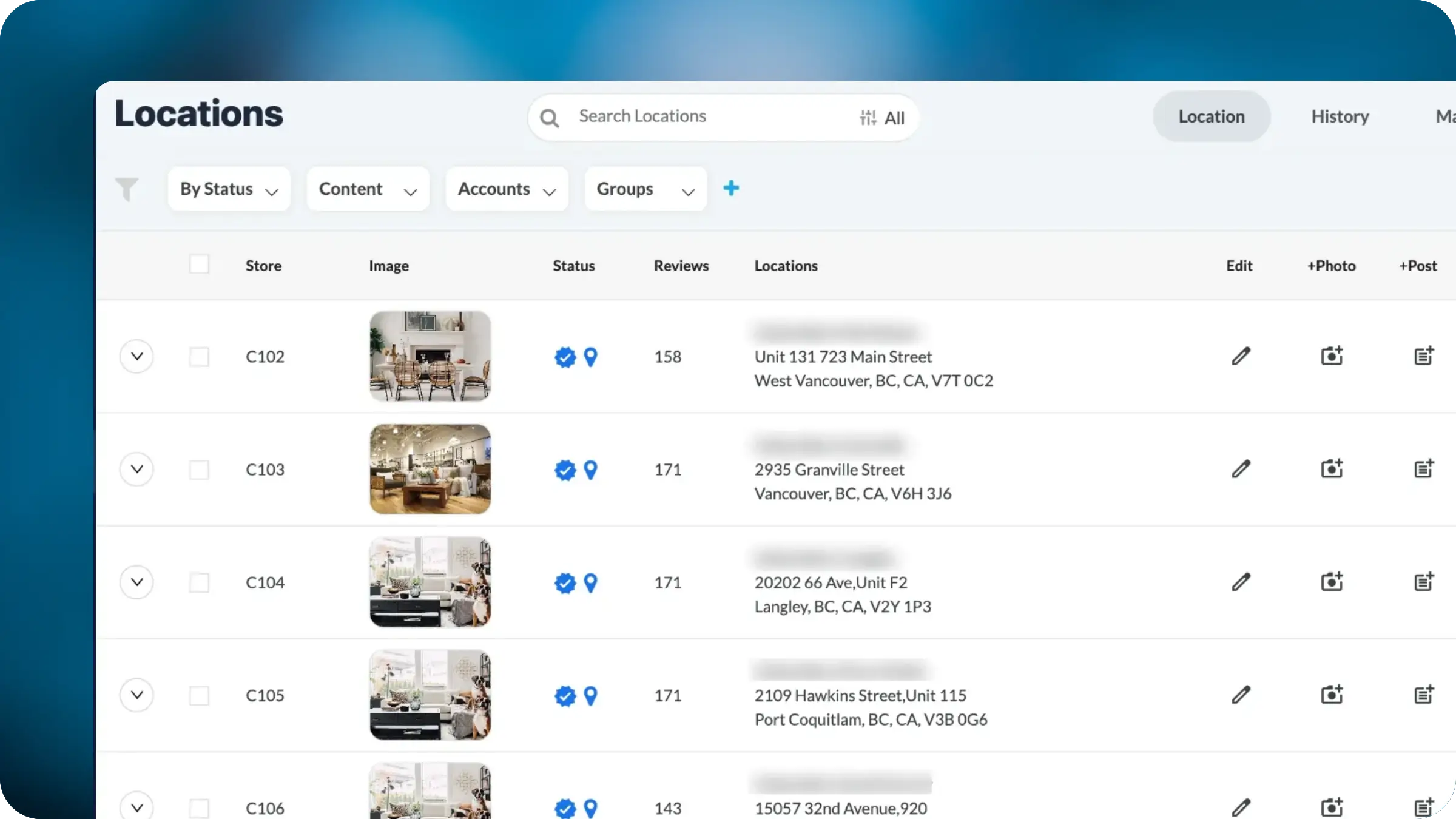
Cover images now appear directly in each listing row, turning the view into a visual audit tool. Spot missing images, outdated storefronts, and off-brand photos across your entire portfolio at a glance. Filter by status, account, or group to prioritize updates, and pair with bulk actions to address image gaps across regions in a single workflow.